

Video tutorials
Getting Started3
 1:11:11
Setup Wizard
The Photobooth Setup Wizard is the fastest way to get started with Remote Pro.
 8:12
Event Template
After creating an event with the Photobooth Setup Wizard, you can customise the screens, print layout and settings, then reuse that event as a…
 18:03
Profiles
Profiles allow you to connect multiple sets of Remote Pro settings together.
Photo Booth Settings14
 5:08
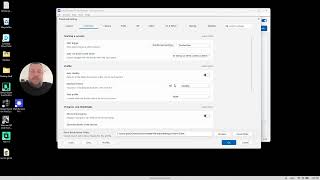
Capture
The Capture tab controls the basic photo session timing, including the number of photos, preview time, processing time, and countdown settings.
 9:44
Interface
The Interface settings control how users interact with the photo booth, what happens when Remote Pro starts, and how profiles, progress indicators…
 11:05
QR Codes and Contactless
QR codes can be displayed on prints and in the sharing screen to give guests a quick way to visit a website or online gallery.
 8:52
Camera
Camera settings control how DSLR Remote Pro uses the connected camera during photo booth sessions.
 7:30
Prints
Print settings control the photo layouts generated at the end of a session.
 9:15
LUTs and Filters
Custom colour filters can be applied to photos, GIFs, and videos in Remote Pro.
 2:52
Widgets
Remote Pro can display interactive HTML inside a Web View Panel.
 16:32
Creating HTML
The easiest way to create the interactive HTML for Remote Pro – a survey, a game, a quiz – is to have an AI tool such as Claude or…
 4:46
Football Game Example
This example demonstrates how you can gamify the photo booth experience.
 2:05
Pose Guide Example
This example demonstrates an on screen pose guide that generates a random pose idea for guests to use.
 6:13
CSV Data Lookup Example
This example allows you to look up an an employee ID number from a CSV spreadsheet, and then use those details to generate an ID card.
 6:15
One time Code Example
This example demonstrates how to create a One Time Code for unlocking the photo booth, or allowing one time access to other parts of the UI (eg…
 1:09
Thumbprint Unlock Example
This example demonstrates a fun, simulated, thumbprint scan to unlock the photo.
 3:57
Live Gallery Example
This example demonstrates embedding a gallery from another event so guests can see whats happening at the other party.
Legacy tutorials3
 Breeze Tokens: Your New Best Friend
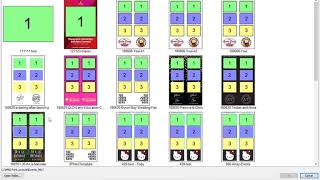
Legacy video tutorial (Remote Pro 3.11): Steve introduces Breeze tokens for folder naming, guest data and consent.
 AI Background Removal Tutorial
Legacy video tutorial (Remote Pro 3.15): use AI background removal for prints and slideshow GIFs, including animated backgrounds.
 How to Brand and Animate Welcome Screens
Legacy tutorial (Remote Pro 3.11): add a custom attraction or standby screen to the booth and replace the welcome screen with a movie.

