

AI Background Removal
On this page
AI Background Removal#
The recommended approach for AI background removal is now Breeze FX. It offers more flexible use within profiles and lets you share credits across other AI functions.
Legacy solution#
For direct integration, Remote Pro supports subscription-based background removal services:
These services use AI to automatically remove the background without a physical green screen.

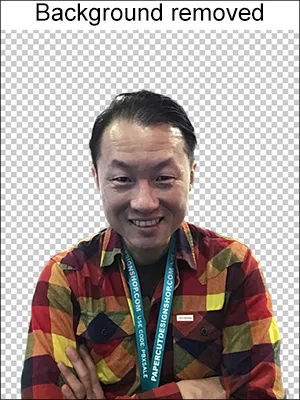

AI background removal services are third-party subscriptions. An internet connection is required at the event. Breeze Systems has no affiliation with these providers.
Setup#
- In Remote Pro, select File > Run AI Background Removal tool....
- Click Account settings... to select a service and enter your API credentials.
- Click Setup Remote Pro... to automatically configure Remote Pro.
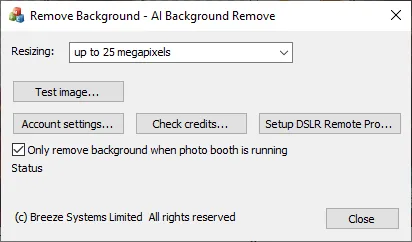
The automatic setup:
- Configures the image editor command to run
RemoveBackground.exeafter each download. - Enables green screen removal with the Transparent background option.
- Sets Delay before creating print layout to 60 seconds to allow processing time.
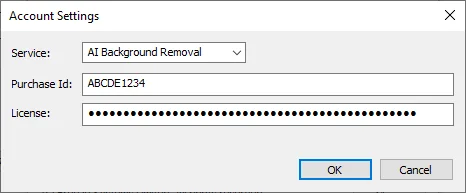
Image sizing#
Set resizing to the lowest size needed for your prints to reduce data transfer costs. The remove.bg Up to 0.25 megapixels option uses 1/4 of a credit (or free preview credits) rather than a full credit.
After removal#
Photos added to the print layout have a transparent background. The print layout's background.jpg fills in behind the subject. Users can choose different backgrounds in the print confirmation screen — see Swapping Print Backgrounds.
Using AI background removal with profiles#
To apply background removal for some profiles but not others, name the photo booth images folder to include a recognisable string (e.g. aibg) for profiles that need it. Use the image editor command with a token conditional to only run RemoveBackground.exe when the photo booth images folder contains that string.
Was this page helpful?
Thanks, that helps us improve the guides.