

Breeze Booth user guide
Photo booth app for iPad, iPhone and Mac
Breeze Booth runs your guest experience on iPad, iPhone and Apple silicon Macs. Design the experience in Breeze Studio, manage events and galleries in Breeze Cloud, and run the booth with the app.
Video tutorials
All 36 tutorials Getting Started
Breeze Studio is the online event editor for Breeze Booth, allowing you to create and customise complete photo booth experiences, including screen…
 3 Photo GIF
This tutorial shows how to convert an existing single-photo Breeze Studio build into a three-photo experience with a print layout and animated…
 Profiles
 allow you to offer different photo booth experiences within a single event.
 Galleries
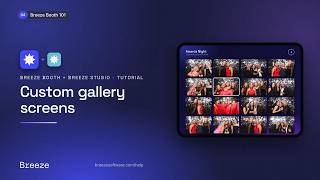
Gallery screens allow guests to browse photos, GIFs and videos from previous sessions and select content to print or share.
Browse the guide
- Other Guides
- Mac Support
Studio
Apply AI effects such as face swaps, AI image generation and background removal to photos taken in Breeze Booth.
Take payments at your Breeze Booth with Stripe, QR codes or Nayax, and choose the right option for your setup.
Free online tools for booth filters, buttons, animations and backgrounds.
Advanced & reference
What tokens are, where you can use them, and where to find each type.
Asset Names
Scripts
Legacy tutorial (Breeze Booth for iPad): How to add sound tracks to burst and slideshow GIFs shared by Breeze Booth (iPad + iPhone).
Create a colour blocking print with four colour washes and AI background removal.
Create a red and cyan colour shift effect in the print layout editor using offset copies, colour washes and blend modes.
How Breeze screens are built from JPEG, PNG, GIF and video files, with examples of custom photo booth interfaces.
Create a water droplet effect with a transparent overlay and blur in the print layout editor.
API docs
Breeze API reference for developers
/api