

QR codes
On this page
When using QR codes in Breeze Booth, they must be enabled in the Event Settings, and in the App Settings. If you have enabled QR codes in your event but not in the App, then nothing will happen when they are scanned.
See the guides on QR codes for full details
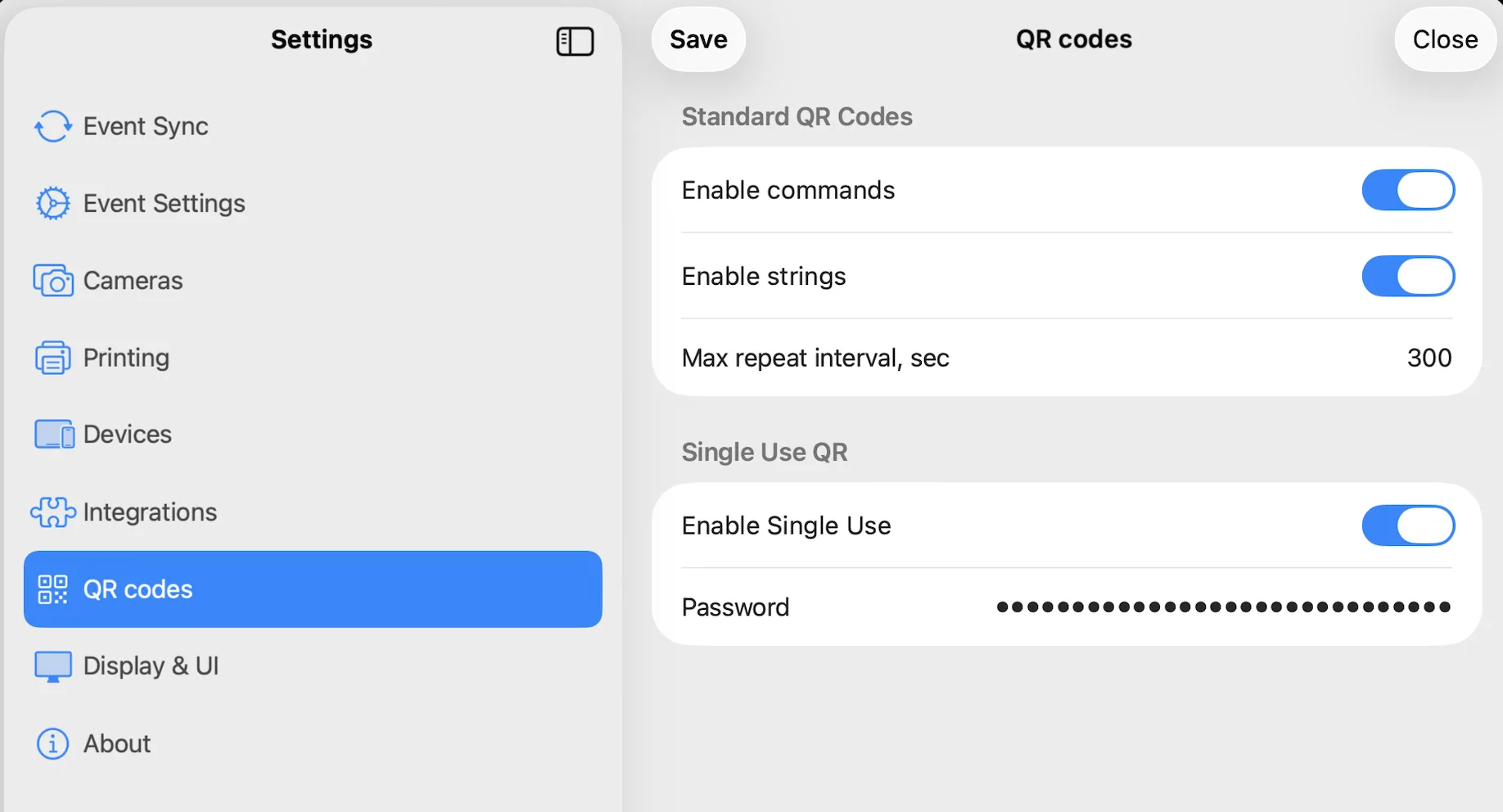
Standard QR codes#
Standard QR codes can be used multiple times with no restrictions.
Enable Commands#
Enable this option to allow QR codes to pass touch screen actions to the booth
Enable Strings#
Enable this option to allow QR codes to pass data to the Photo Booth (eg, names, survey choices etc)
Max Repeat Interval#
Used in conjunction with the QR Repeat touch screen action, this sets the amount of time (in seconds) for how long the previously scanned QR code will be remembered for, before it is removed.
Single Use QR Codes#
Single Use QR codes are a secure code, that can only be used once and can have time restrictions for use enforced. . Enable the option to use, and set the password.
See the guide on Single Use QR codes for full details
Was this page helpful?
Thanks, that helps us improve the guides.