

Font Management
On this page
Custom Fonts can be now installed without having to use a 3rd Party font manager.
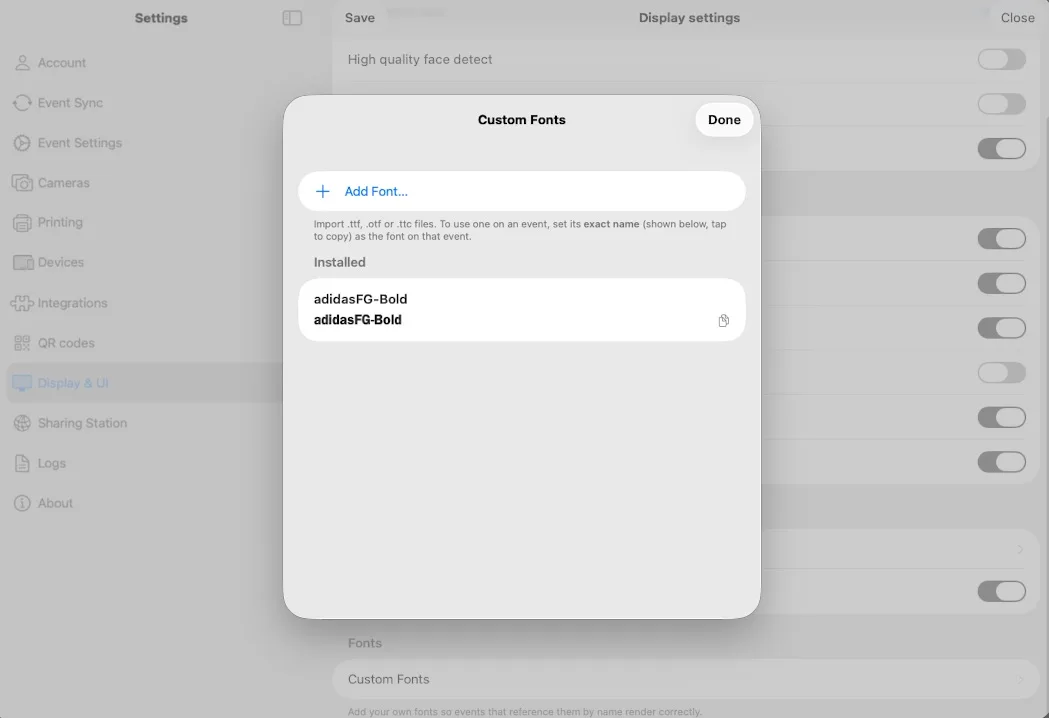
How to use#
You can simply add the font in the App Settings > Display & UI > Fonts
You can also add them to a folder called CustomFonts in Files App > on this iPad > Breeze Booth > CustomFonts
Ensure that the font is also being used in the EventEditor (print layouts etc)
Fonts bundled with events#
From Breeze Booth 4.0.6, custom fonts used in an event are bundled with the event and installed automatically when the event syncs, so you don't need to add them on each device.
This requires the event to be configured in Breeze Studio.
Was this page helpful?
Thanks, that helps us improve the guides.