

Allow List
Device Allow Lists#
Device Allow Lists let you restrict a Breeze Booth user so they can only sign in on specific devices. To use this feature, first create a sub user in the Sub Accounts section. You can then optionally add one or more Device IDs to that user's Allow List.
If no Allow List is configured, the user can sign in on any device that is not blocked by the company Block List.
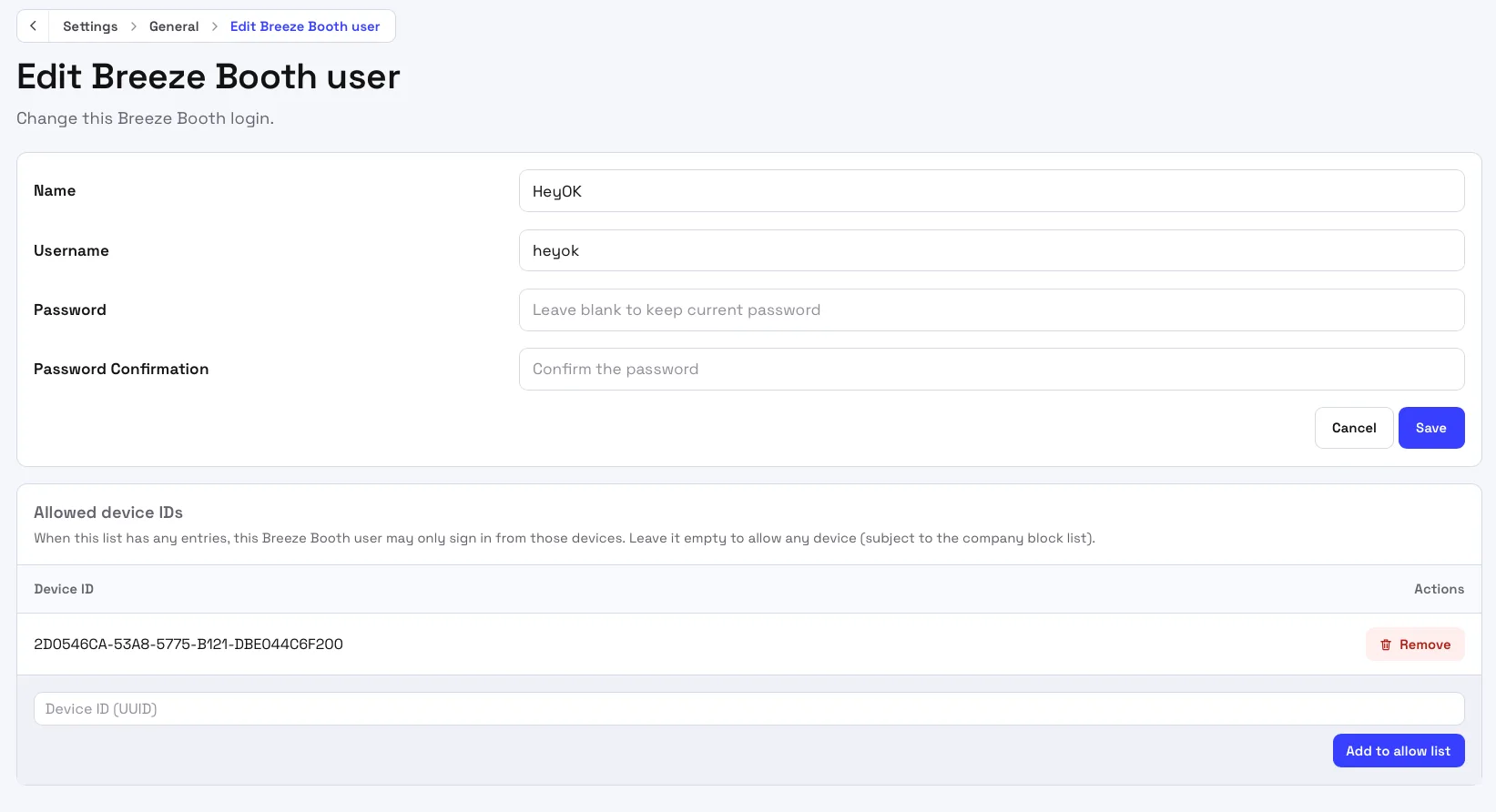
Configuring an Allow List#
Open the required Breeze Booth user and add one or more Device IDs to the Allowed Device IDs list.
Once configured:
- The user can only sign in on the listed devices
- Sign-in attempts from any other device will be denied
- The company Block List is still applied
Device Allow Lists are optional. Leaving the list empty allows the user to sign in on any device that is not blocked.
Finding a Device ID#
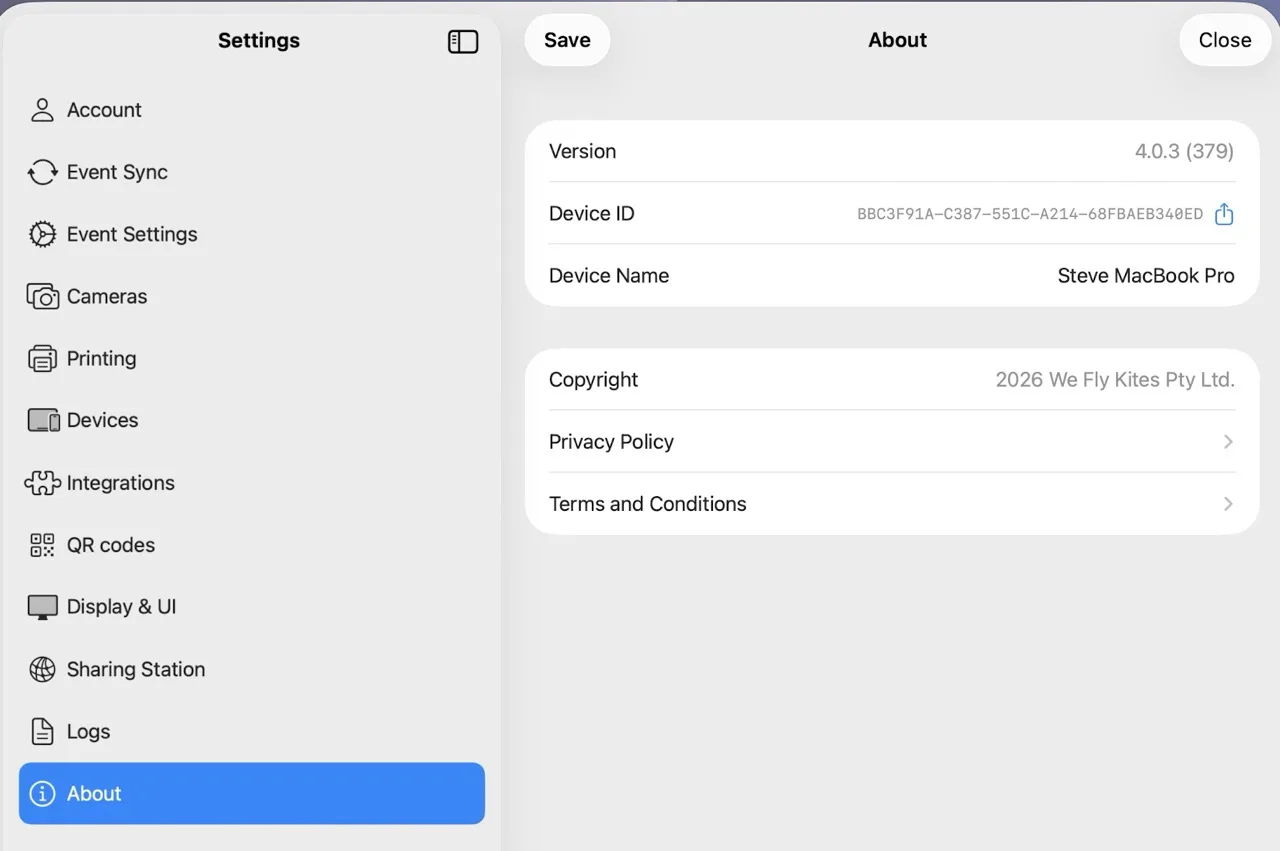
Each device has a unique Device ID. To find it in Breeze Booth:
- Open Settings
- Select About
- Copy the Device ID
Or if the device has checked in, you can find it in your device list.
Device Allow Lists are ideal for assigning operators to company-owned devices or restricting clients to specific hardware.
Was this page helpful?
Thanks, that helps us improve the guides.