

Video tutorials
Getting Started23
 3 Photo GIF
This tutorial shows how to convert an existing single-photo Breeze Studio build into a three-photo experience with a print layout and animated…
 Profiles
 allow you to offer different photo booth experiences within a single event.
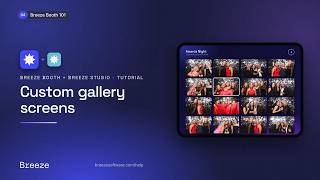 Galleries
Gallery screens allow guests to browse photos, GIFs and videos from previous sessions and select content to print or share.
 Custom Menus
Custom menu screens allow you to give guests or operators access to additional controls without leaving the photo booth experience.
 Live Photos
 capture a short video clip before each photo is taken, combining movement with the final photo layout to create an animated experience.
 Processed Photos
 allow you to save each individual photo from a session with its own layout, branding, overlays and filters.
 Kits
Kits are reusable event templates in Breeze Studio. Once you have created an event with your preferred settings, screen designs and layouts, you can…
 Direct Printing with DNP Printers
Breeze Booth supports direct USB printing to compatible DNP and Citizen printers, without requiring a separate computer or Breeze Hub.
 8:25
Beginner Syncing Events to Breeze Booth for iPad
How to sync events from the Windows Event Editor to your iPads and iPhones, using Local Sync or Dropbox.
 1:42
Beginner Importing Events into the Event Editor
How to import an event someone else has made, such as a white-label event or a Breeze template, into the Event Editor.
 1:46
Beginner Save Photos and Videos to Dropbox
Copy every photo and video from Breeze Booth for iPad straight into Dropbox, so event files come back to your office automatically.
 19:39
Intermediate Prize Mode
Give away prizes, vouchers and coupons from your photo booth, with prize quantities, weighting and a prize token for prints, texts and emails.
 0:57
Beginner Connecting Bluetooth Accessories
A short video showing how to connect Breeze-compatible Bluetooth devices to the Breeze Booth app.
 3:57
Intermediate Remote Control Your iPads
Control an iPad running Breeze Booth from a Windows PC using Breeze Hub and the Camera Controller app, ideal for permanent installations.
 0:43
Beginner Audio Guest Book: Introduction
An introduction to the video series on setting up a Breeze-powered audio guest book with Breeze Booth for iPad.
 4:29
Beginner Connecting to Tonematic Pro
How to connect a Tonematic Pro audio guest book phone to Breeze Booth on an iPad or iPhone, and which adaptors you need.
 3:56
Beginner Audio Guest Book Basic Event Part 1
Set up a basic audio guest book from the Breeze event template: import it into the Event Editor, sync it to the iPad with Dropbox and connect the phone.
 15:59
Intermediate Audio Guest Book Basic Event Part 2
Customise the look of the audio guest book event in Canva: start screen, countdown and background, then sync the new files to the iPad.
 5:55
Intermediate Audio Guest Book Basic Event Part 3
Create a custom output video for audio guest book messages in Canva and add it to the event.
 13:44
Intermediate Audio Guest Book + Video
Add video capture to the audio guest book, so guests can leave a video message when they pick up the phone.
 12:56
Intermediate Audio Guest Book Photo + Video
Add a photo experience to the audio and video guest book, with a new template and Canva designs for screens and the photo overlay.
 3:57
Intermediate Audio Guest Book Output Ratio
Create audio guest book videos in other ratios, such as a 1080 x 1350 portrait video for social media.
 40:26
Advanced AI Player Card Tutorial
How the AI Player Card trading card event works: Canva screens, survey radio buttons and keyboards, print layout tokens and Breeze FX face swap.
Cloud1

Studio2

More tutorials10
 Getting Started
Breeze Studio is the online event editor for Breeze Booth, allowing you to create and customise complete photo booth experiences, including screen…
 AI Event Generator
The AI Event Generator can create a complete event from a single print layout design, including touchscreen interfaces, backgrounds, colours, and…
 Archiving Events
Events can be archived when they are no longer actively used, helping keep your event list organised. Archived events can be restored at any time.
 Creating a Blank Event
A Blank Event gives you a completely empty starting point with no screens, actions, graphics, or layouts.
 Demo Events & Templates
Breeze includes a library of demo events and templates that can be used as a starting point for new projects.
 Event Sync
Events created in the Event Editor can be synced directly to Breeze Booth devices using either a Sync URL or a QR code.
 Event Tags
Tags allow you to group related events together, making them easier to find and manage.
 Event Templates
 allow you to save a complete event as a reusable starting point for future events.
 Importing Events
If you have events created in the Windows version of the Event Editor, you can import them directly into the new Cloud based Editor.
 Passwords
You can add a password to an event to prevent it from being launched in Breeze Booth unless the correct password is entered.