

Registering
On this page
Evaluation Period#
The unregistered version can be evaluated for up to 15 days and is fully functional during that period. After 15 days only the first 12 images in a directory will be loaded. Purchase a license from www.breezesoftware.com to continue using BreezeBrowser Pro.
Entering Your Registration Code#
If you have purchased BreezeBrowser Pro, run the program and enter your name and registration code when the registration dialog is displayed, then press Register.
Enter your name and registration code exactly as they appear in your registration email — cut and paste to avoid mistakes.
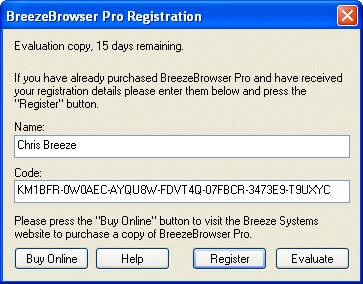
To purchase a licence visit www.breezesoftware.com/BreezeBrowser or press Buy Online in the registration dialog.
You can also open the registration dialog via Help > Register...
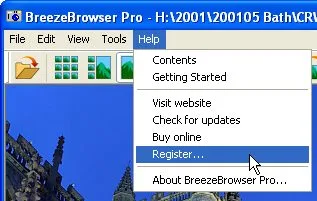
Click Help > About BreezeBrowser Pro... to display your version number, registration status and the date your key was purchased.

Was this page helpful?
Thanks, that helps us improve the guides.