

Filmstrip View
On this page
The filmstrip view shows thumbnails alongside a larger view of the currently selected image.
To switch to filmstrip view press Shift+Escape or select it from the View menu. Shift+Escape toggles between two layouts:
- Filmstrip + EXIF — displays an EXIF summary alongside the main image.
- Filmstrip + Folder — displays the directory tree alongside the main image.
Controls and keyboard shortcuts are similar to those in Thumbnail View.
Filmstrip + EXIF#
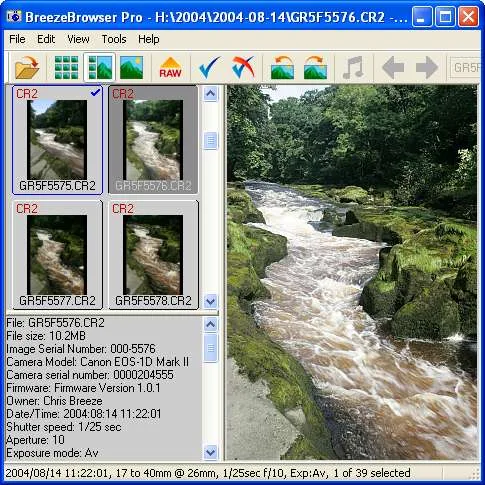
The fields shown in the EXIF summary can be configured in Preferences. Press Ctrl+Tab to toggle the EXIF summary on and off.
Filmstrip + Folder#
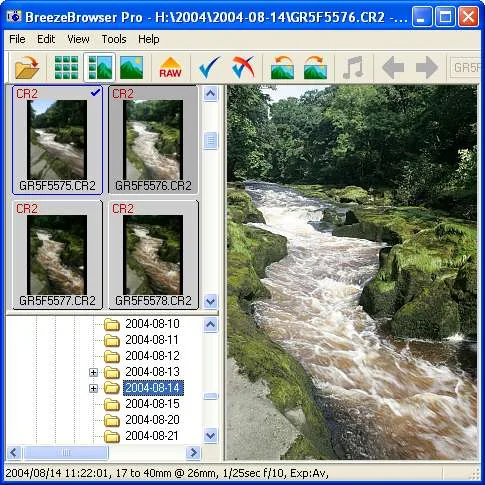
Press Ctrl+Tab to toggle the folder display on and off.
Was this page helpful?
Thanks, that helps us improve the guides.