

Guidelines for Creating Picture Frames
The picture frame image should be six times the width and height of the required border. e.g. for a 10-pixel border, the image must be 60×60 pixels. Save in a lossless format such as PNG and include the border width in the filename.
The example file test 20.png in the frames folder defines a 20-pixel frame using a 120×120 pixel image (6× the border width):
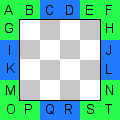
The frame is defined by the 20-pixel-wide border around the image (blocks A–T). The central area is unused — you can add notes there. When the frame is applied:
- Corner blocks (ABG, EFH, MOP, NST) are copied to the corners of the destination image.
- Edge blocks are tiled repeatedly along the edges until they meet the corners.
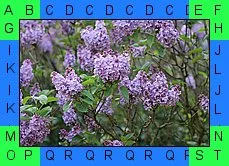
Note how edge CD butts against corner B and repeats (CDCDCD…) until reaching corner E. Design border boundaries carefully so they blend well when tiled.
The width and height of the border image do not need to be the same. The black H22 x V44 example defines a border 22px thick on the left/right and 44px on the top/bottom.
Frame Examples#
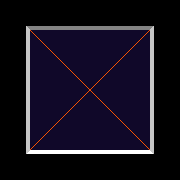
black matte 30.png and example result
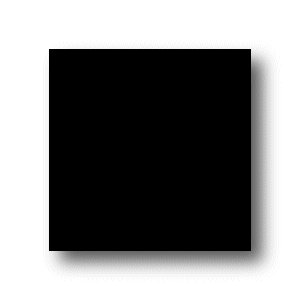
drop shadow 50.png and example result
Was this page helpful?
Thanks, that helps us improve the guides.