

Displaying Thumbnails and Playing WAV and AVI Files
Displaying Thumbnails and Playing WAV and AVI Files#
Double-click an image (or right-click and select Show thumbnail) to display a thumbnail and shooting data summary.
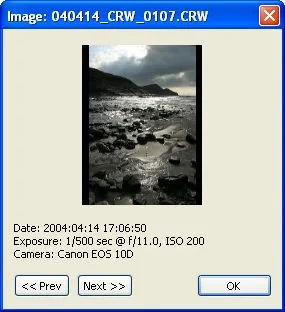
Use the << Prev and Next >> buttons or cursor keys to step through images.
Double-click a WAV sound annotation or AVI movie file to play it in the registered Windows application (usually Windows Media Player).
Thumbnail display and media playback are only available when downloading from a card reader.
Was this page helpful?
Thanks, that helps us improve the guides.