

Using Filename and Directory Tokens
Using Filename and Directory Tokens#
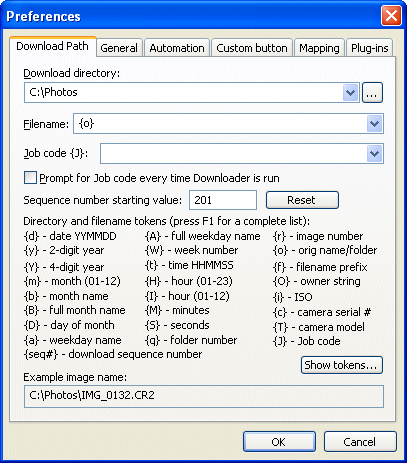
Tokens include information such as the date or time a picture was taken to specify the download directory and filename. Each token is enclosed in curly brackets, e.g. {d}.
Basic Example#
To download all images to C:\Photos without renaming, set the download directory to C:\Photos and the filename to {o}. The {o} token keeps the original filename written by the camera, e.g. IMG_3426.JPG.
Organising by Date#
To store photos in separate directories by year and month, set the download directory to C:\Photos\{Y}\{m}. For example, photos taken in November 2006 go to C:\Photos\2006\11.
To store each day's photos separately: C:\Photos\{Y}\{Y}-{m}-{D}.
Store dates in year/month/day order (e.g. {Y}-{m}-{D}) so directories appear in both alphabetical and chronological order.
Renaming Files#
To prefix filenames with the time the picture was taken, set the filename to {t}_{r}. For example: 191500_4567.JPG.
Press Show tokens... to display a list of available tokens and their values for the current example file.
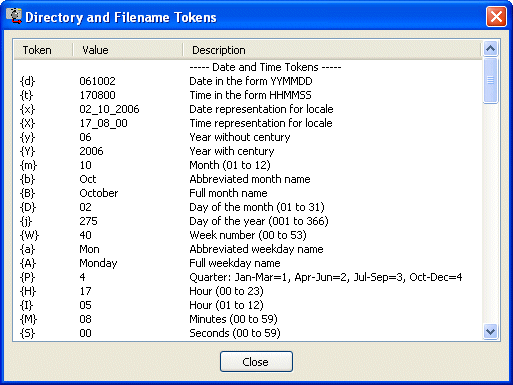
See Download Path Preferences for more details, and Filename and Directory Tokens for a complete token reference.
Was this page helpful?
Thanks, that helps us improve the guides.