

Automatic Folder Naming
Automatic Folder Naming#
Use folder renaming tokens to automatically organise images as you download them.
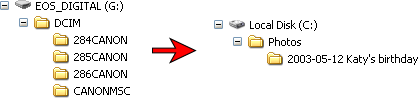
In the example above, source images from three separate folders on the memory card are downloaded to a single folder named with the date and subject. The subject is entered using the Job Code, which can be set to prompt you each time Downloader Pro runs.
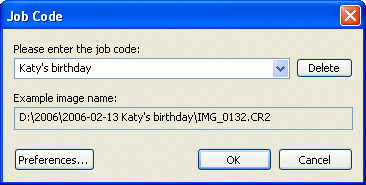
In this example, the download directory is set to C:\Photos\{Y}-{m}-{D} {J}:
{Y}-{m}-{D}expands to the year, month and day the photo was taken.{J}expands to whatever was entered for the job code.
See Download Path Preferences for details.
Was this page helpful?
Thanks, that helps us improve the guides.