

Automation
Automation#
You can configure Downloader Pro to automatically download files, delete downloaded files, launch a custom application, and exit when it starts up.
- Open File > Preferences > Automation tab.
- Select the actions you want automated.
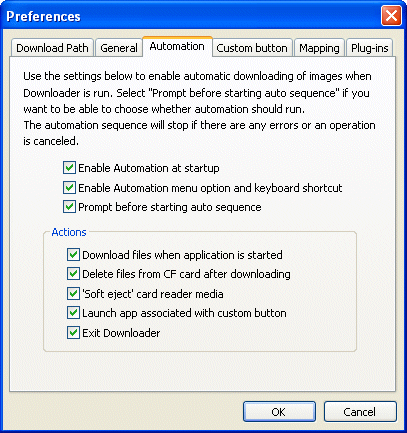
When automation is enabled, a prompt is shown at startup asking whether to proceed with the automatic sequence. Uncheck Prompt before starting auto sequence to skip this prompt. The sequence stops if cancelled or if an error occurs.
Downloader Pro will never delete files from the card unless they have been downloaded successfully.
Was this page helpful?
Thanks, that helps us improve the guides.