

Quickstart Guide
On this page
Quickstart Guide#
Follow these steps to set up Downloader Pro to run automatically when a memory card is inserted in your card reader.
Step 1 — Install Downloader Pro#
Install Downloader Pro on your PC.
Step 2 — Insert Memory Card#
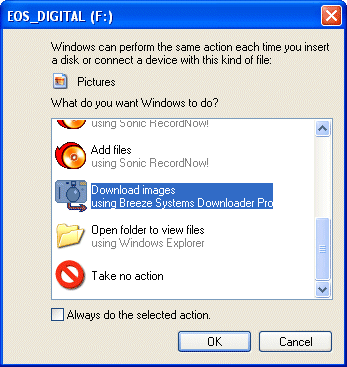
Plug in your card reader (if not already connected) and insert a memory card containing images. Windows will display a dialog similar to the one below:
Step 3 — Launch Downloader Pro#
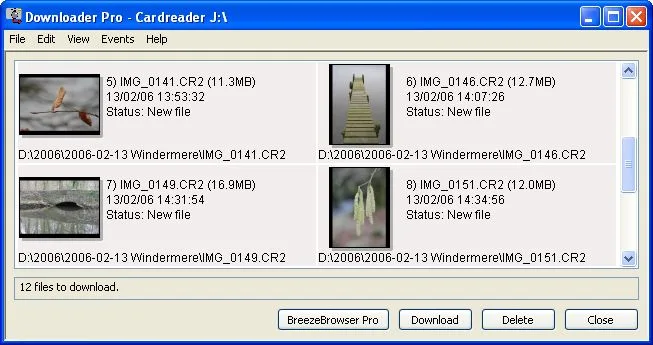
Click the Download images camera icon, then click OK. Downloader Pro will open and list the files to download.
Step 4 — Download#
Click the Download button. Images are copied to the directory shown in the Download path column.
Step 5 — Finish#
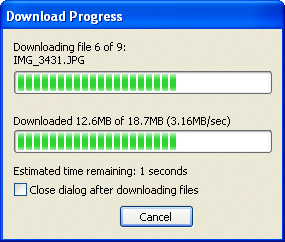
When the download completes, click Close to dismiss the progress dialog. Your images are now on your hard disk. Click Delete to remove images from the memory card, or Close to exit.
To learn more about specifying download directories and filenames, see Using Filename and Directory Tokens.
Was this page helpful?
Thanks, that helps us improve the guides.