

Running Downloader Pro Automatically
Running Downloader Pro Automatically#
Downloader Pro can be set up to run automatically when a memory card is placed in a card reader.
- Run Downloader Pro.
- Select Register for AutoPlay events from the Events menu.
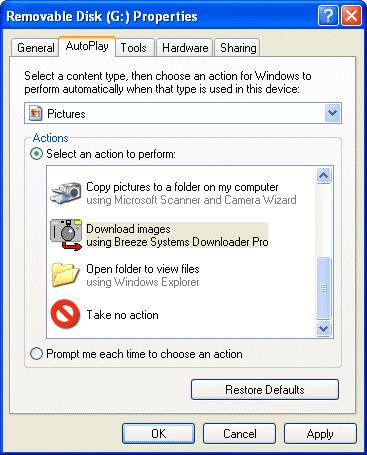
To configure Windows AutoPlay behaviour for each drive, right-click the drive icon in Windows Explorer, select Properties, then click the AutoPlay tab. Select Pictures from the drop-down and choose the required action.
Was this page helpful?
Thanks, that helps us improve the guides.