

Entering the Subject or Job Code
On this page
Entering the Subject or Job Code#
The Job Code lets you include a subject or description in the download path. To set it up:
- Open File > Preferences.
- Edit the download path to include the
{J}token. - Select Prompt for Job code every time Downloader is run.
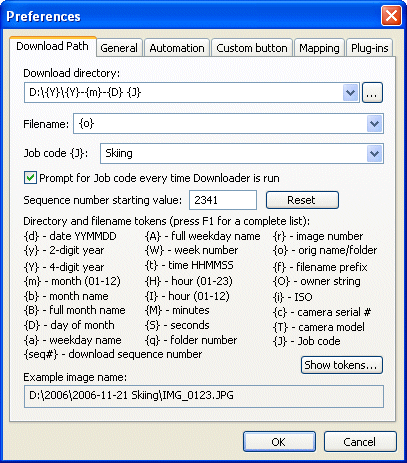
Every time Downloader Pro runs, you will be prompted to enter the job code. For example, entering Skiing as the job code downloads photos to:
D:\Photos\2006\2006-11-21 Skiing
Date-Based Job Codes#
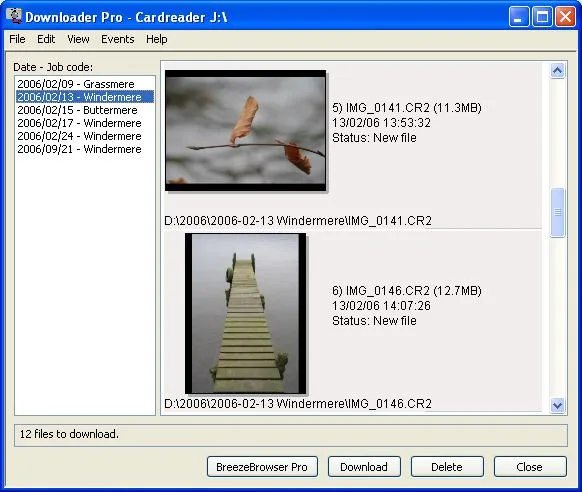
To use different job codes for photos taken on different days, display the image date selector from the View menu. Right-click the required date, select Edit job code... and enter the job code.
Downloader Pro stores job codes for the last 60 days — useful when a single memory card spans multiple subjects over several days.
Was this page helpful?
Thanks, that helps us improve the guides.