

Launching Downloader Pro When Inserting a Memory Card
Launching Downloader Pro from a Card Reader#
On Windows 7 and later, Downloader Pro is automatically added to the list of applications Windows offers when a memory card containing images is inserted in a card reader.
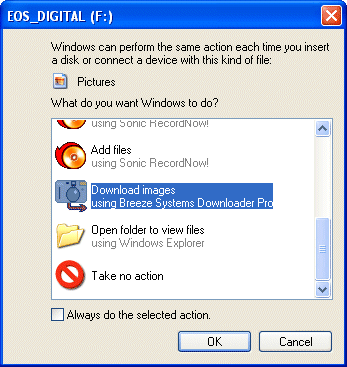
Double-click the Download images camera icon to download using Downloader Pro.
To have Windows launch Downloader Pro automatically without showing this dialog, select Always do the selected action.
Was this page helpful?
Thanks, that helps us improve the guides.