

Movie and Video Settings
On this page
Movie and Video Settings#
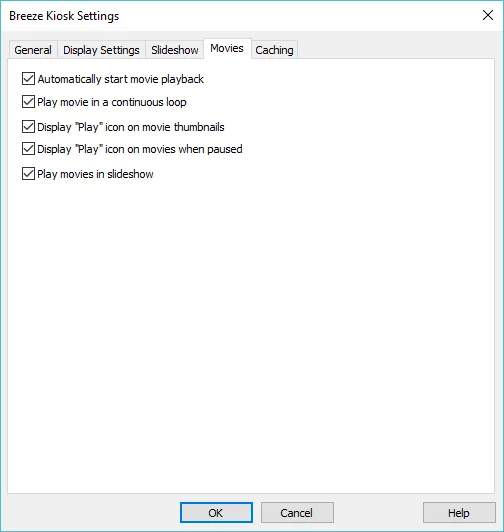
Playback Options#
- Automatically start movie playback — movies begin playing as soon as they are displayed in the main area. If disabled, the first frame is shown and users tap to play or pause.
- Play movie in a continuous loop — restarts from the beginning when the movie ends.
- Display "Play" icon on movie thumbnails — shows a semi-opaque play triangle on video thumbnails to identify them as movies.
- Display "Play" icon on movies when paused — shows the play icon on the main display when a movie is paused.
Was this page helpful?
Thanks, that helps us improve the guides.