

Breeze Hub
On this page
Printing with Breeze Hub#
Breeze Hub allows Breeze Booth to print using any Windows-compatible printer connected to a PC.
This is useful for speciality printers, dye-sublimation printers that do not support direct USB printing, and custom printing workflows.
Breeze Hub can run on a low-powered Windows PC and communicates with Breeze Booth over the local network.
Connect to Breeze Hub#
Your Breeze Booth device and the PC running Breeze Hub must be connected to the same local network.
You can connect automatically or manually.
Auto Find Breeze Hub#
Enable Auto Find Breeze Hub to search the local network for available instances of Breeze Hub.
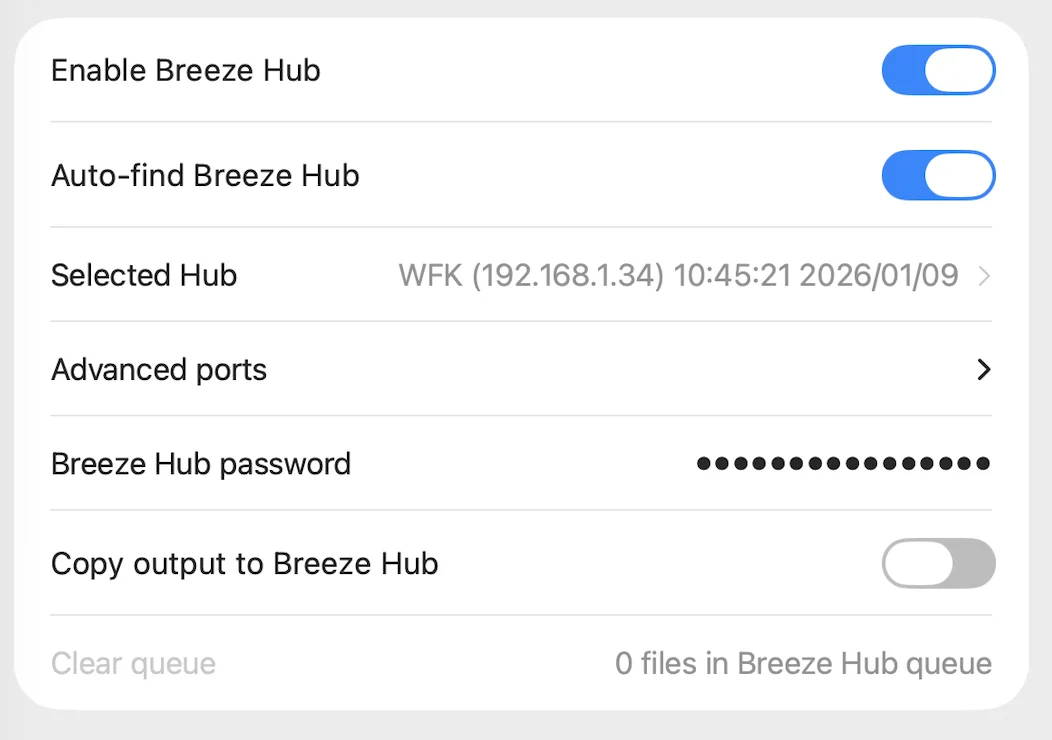
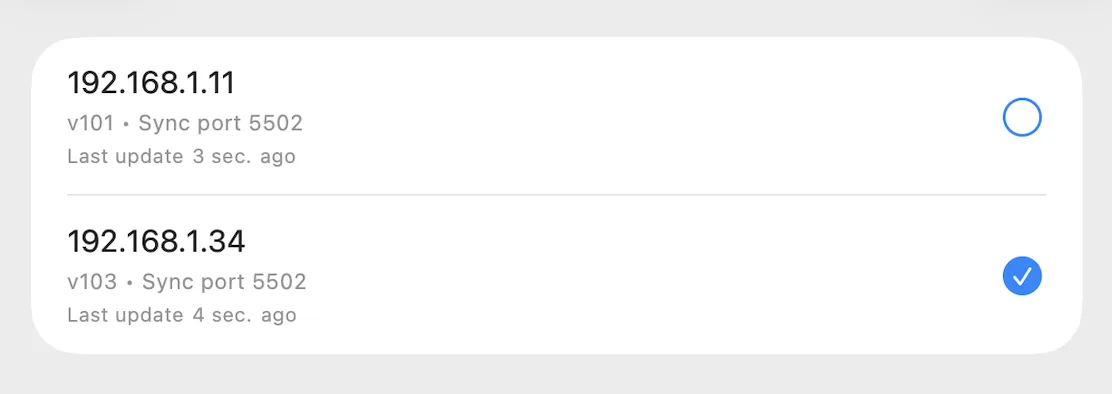
If multiple instances are found, select the required PC from the Selected Hub menu.
Manually Connect to Breeze Hub#
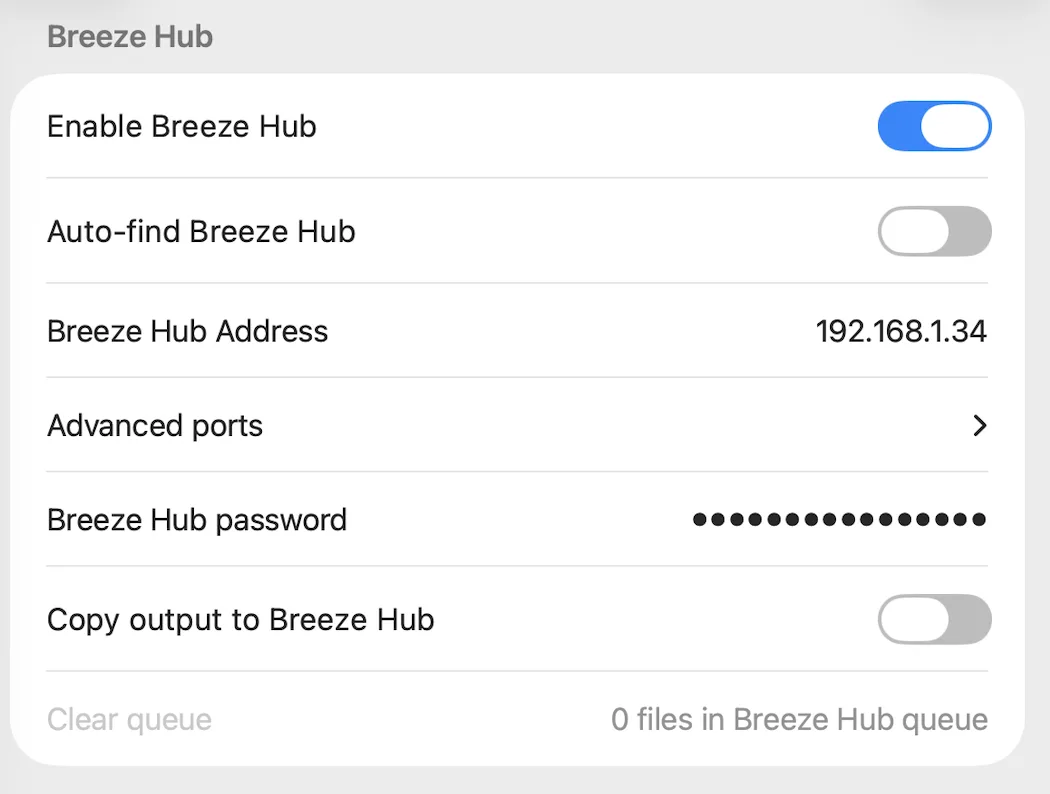
To connect manually:
- Disable Auto Find Breeze Hub.
- Enter the IP address of the PC running Breeze Hub in the Breeze Hub Address field.
Advanced Ports#
The port settings must match those configured in Breeze Hub.
These normally do not need to be changed.
Copy All Output to Breeze Hub#
Enable Copy all output to Breeze Hub to transfer captured photos, videos and other media to the PC running Breeze Hub.
This is useful when you need local access to media for further processing, storage or integration with other applications.
Breeze Hub can be used for file transfers and other integrations, even when you are not using it for printing.
When to Use Breeze Hub#
Breeze Hub is particularly useful for:
- Printers without direct USB support in Breeze Booth.
- Speciality and non-DNP dye-sublimation printers.
- Printers requiring Windows drivers or utilities.
- Custom printing and post-processing workflows.
- Transferring captured media to a local PC.
If you are using a compatible DNP or Citizen printer, consider Direct USB Printing instead to remove the need for a separate Windows PC.
Was this page helpful?
Thanks, that helps us improve the guides.