

AirPrint
On this page
Printing with AirPrint#
AirPrint allows Breeze Booth to print to compatible printers over the local network without requiring additional software or a Windows PC.
It is a simple option for basic printing, but offers fewer printer and configuration options than Direct USB Printing or Breeze Hub.
Setup#
To configure AirPrint:
- Open Settings > Printing.
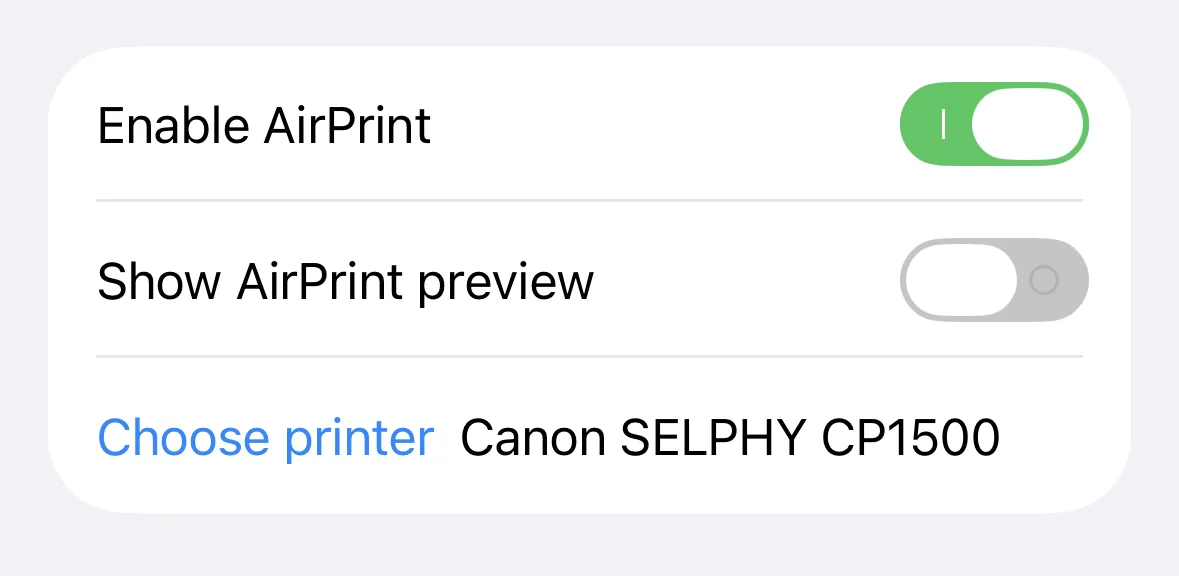
- Enable Print using AirPrint.
- Tap Choose Printer.
- Select an available AirPrint printer.
AirPrint Preview#
Enable Show AirPrint Preview to display the AirPrint dialogue when printing a session.
This allows the print to be reviewed using the standard AirPrint interface.
Requirements#
- The printer must support AirPrint.
- The printer and Breeze Booth device must be on the same local network.
- Available print settings depend on the printer and its AirPrint support.
AirPrint is useful for simple printing setups. For professional dye-sublimation printing, Direct USB Printing or Breeze Hub generally provides greater control.
Was this page helpful?
Thanks, that helps us improve the guides.