

Preset Layouts
Preset Layouts#
The Preset layouts button can be used to help design a number of different popular layouts using three or four photos. These include:
- A double strip of three or four photos.
- A single strip of three or four photos.
- One large image with a row of three smaller images below.
- Two rows of two images.
Simply select the layout you want, adjust the page margins and image spacing, and then press the OK button. The software will work out the settings for you:
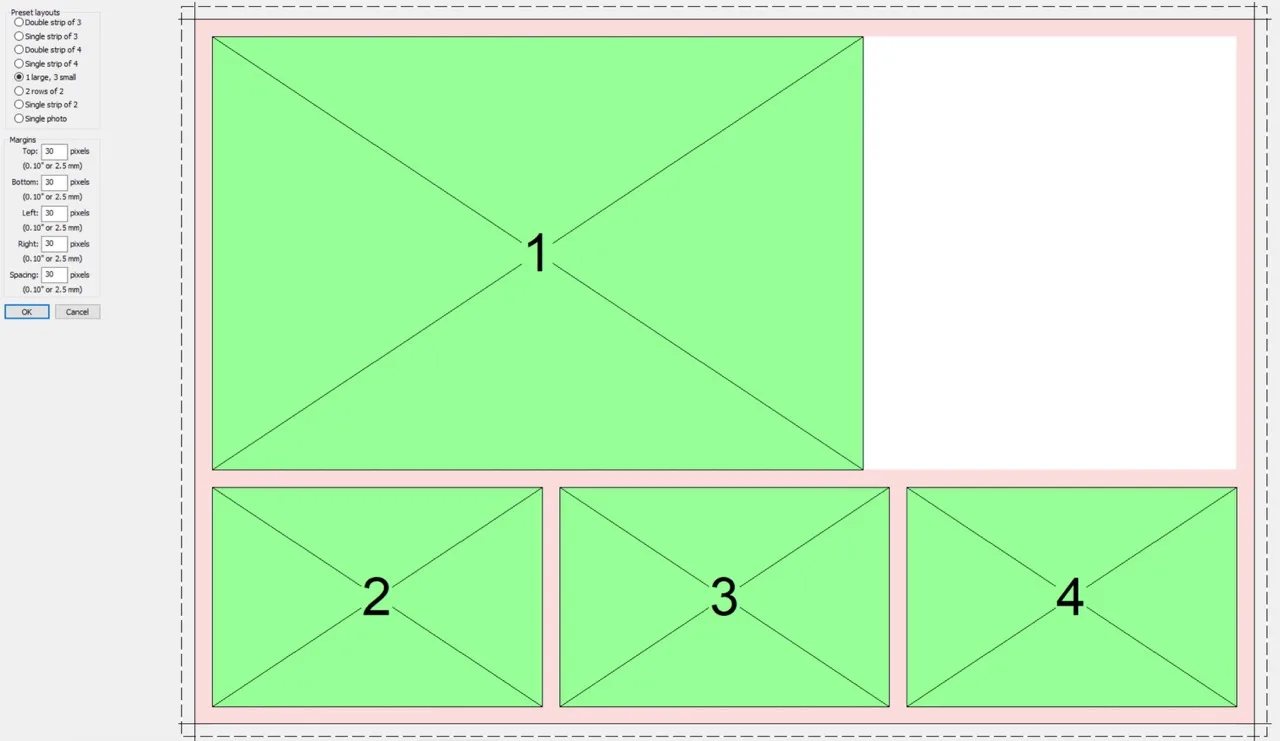
Select the preset layout from the list of layouts in the top left of the window. The right side of the window shows a preview of the selected layout. The spacing between photos and the top, left, right, and bottom margins can be adjusted using the edit boxes on the left of the window.
The dashed line around the layout shows the full printing extent of the printer, including any overlap over the edges of the paper for borderless printing. The inner solid line represents the area of the final print.
Click OK to copy the layout to the print layout editor.
Was this page helpful?
Thanks, that helps us improve the guides.