

Upload from BreezeBooth
Copy your Cloud Upload URL from the Breeze Cloud General Settings. You can optionally enable an integration password for further security.
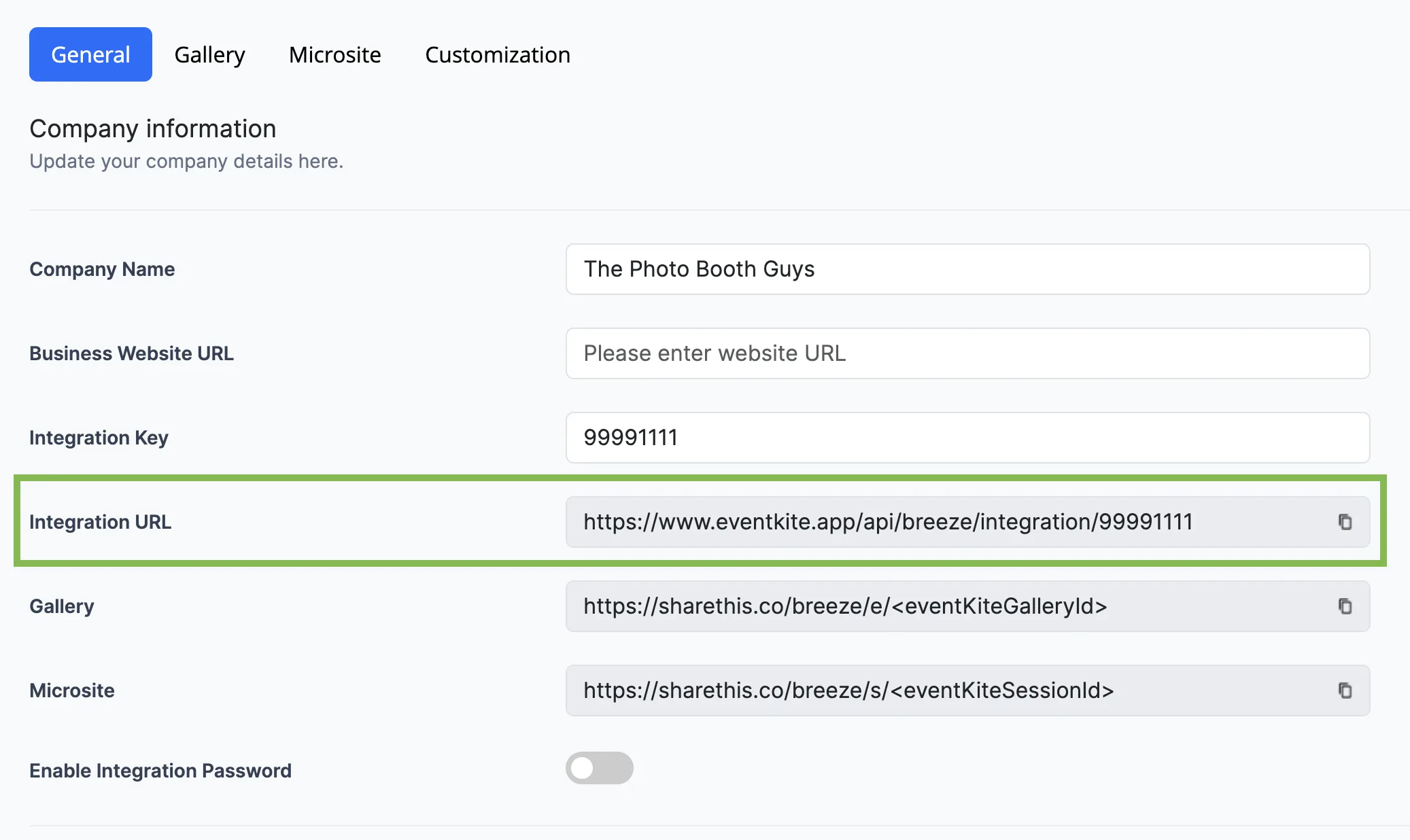
Enter the Cloud Upload URL in Breeze Booth#
The Cloud Upload URL (and optional password) needs to be entered into the Cloud Upload field in the App Settings of the Breeze Booth App.
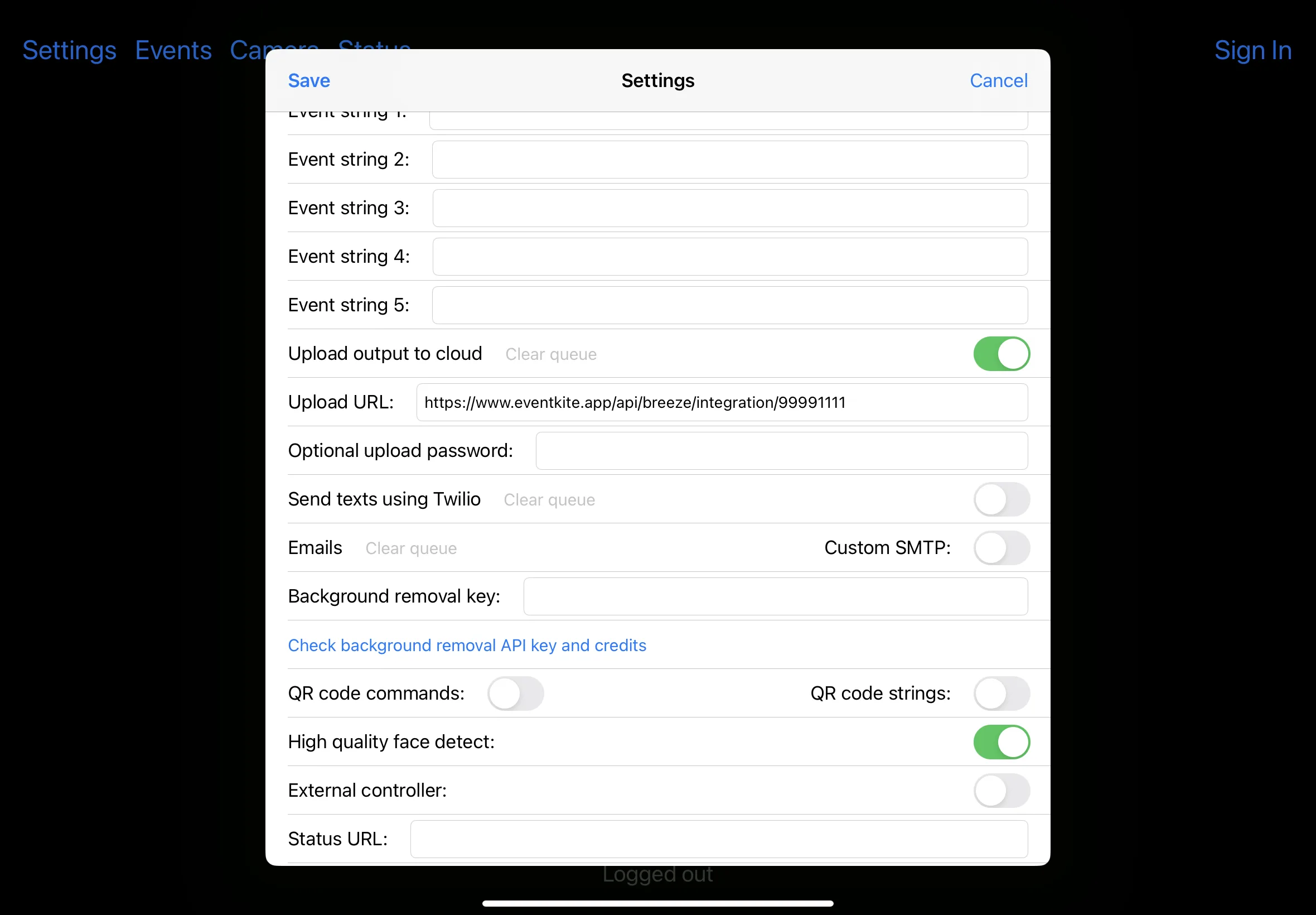
- Enable
Upload output to Cloud - Paste your Breeze Cloud
Cloud Upload URL(and optional password) into theUpload URLandPasswordfield
All files upload to Breeze Cloud (including sharing and summary XML files). Any file type disabled in the Event Editor (e.g., processed photos) will not upload.
Was this page helpful?
Thanks, that helps us improve the guides.