

Print Layout Sharing with QR Code
Copy the Gallery or Microsite URL from the Breeze Cloud Settings.

This needs to be copied in to the QR Code field:
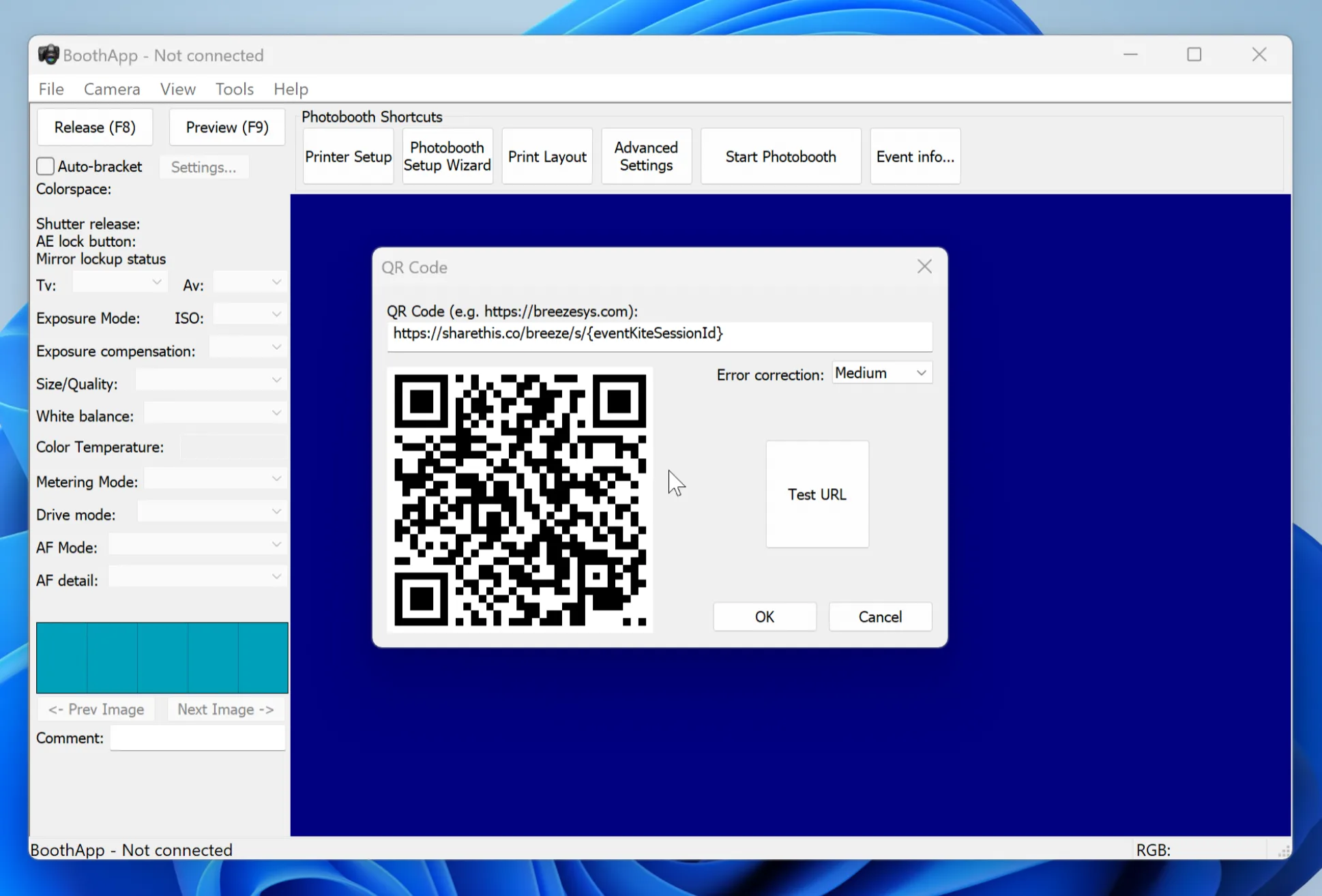
- Go to File > QR Code setup...
- Paste the Breeze Cloud URL to the QR Code field
Then enable the QR code on the print layout:
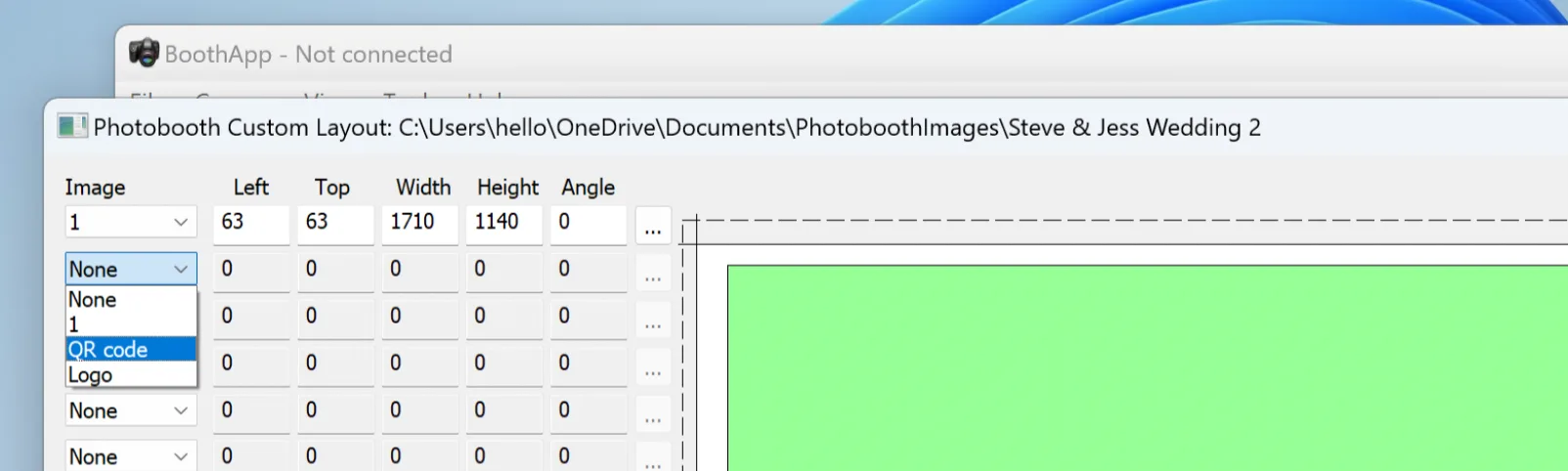
- Open the Print Layout Editor
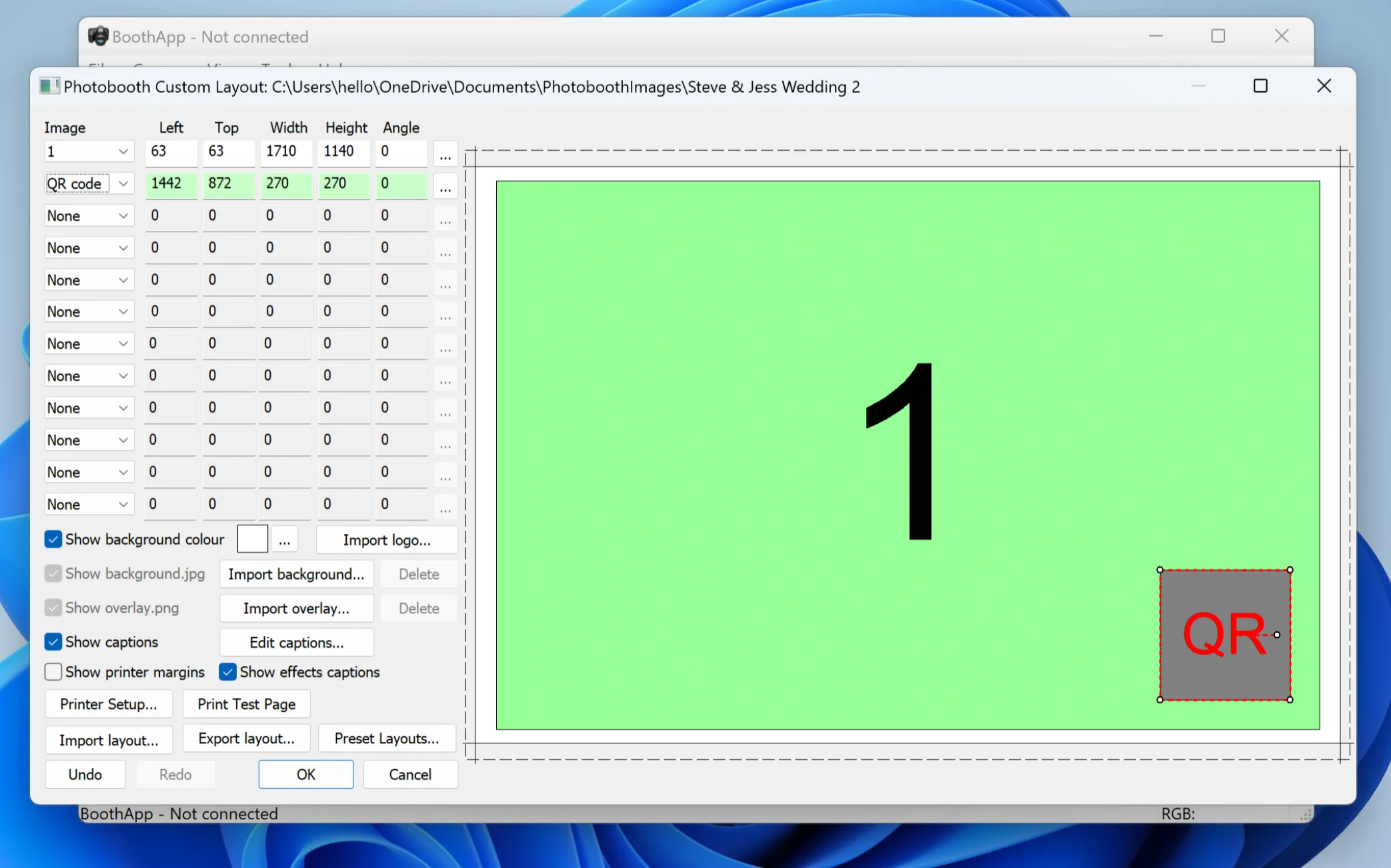
- From a spare Image dropdown, select QR Code
- Drag and Scale the QR Code to your liking
- Save your print layout
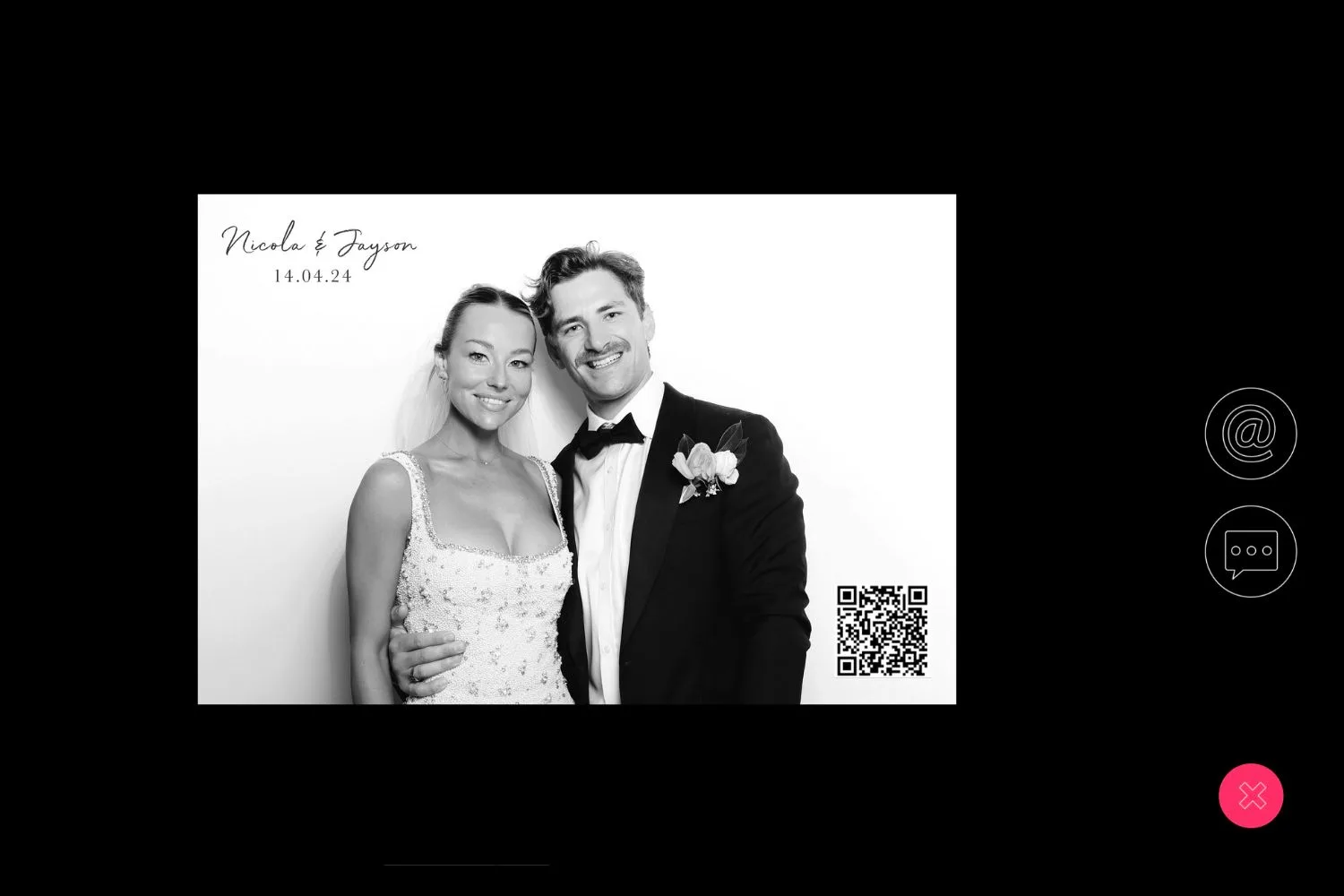
Run a test session and you should now see that the Print Layout has the QR code
Was this page helpful?
Thanks, that helps us improve the guides.