

Linking from BreezeBooth
If you have not done so already, you need to create an event in Breeze Cloud, then copy the Breeze Cloud Gallery ID in to BreezeBooth.
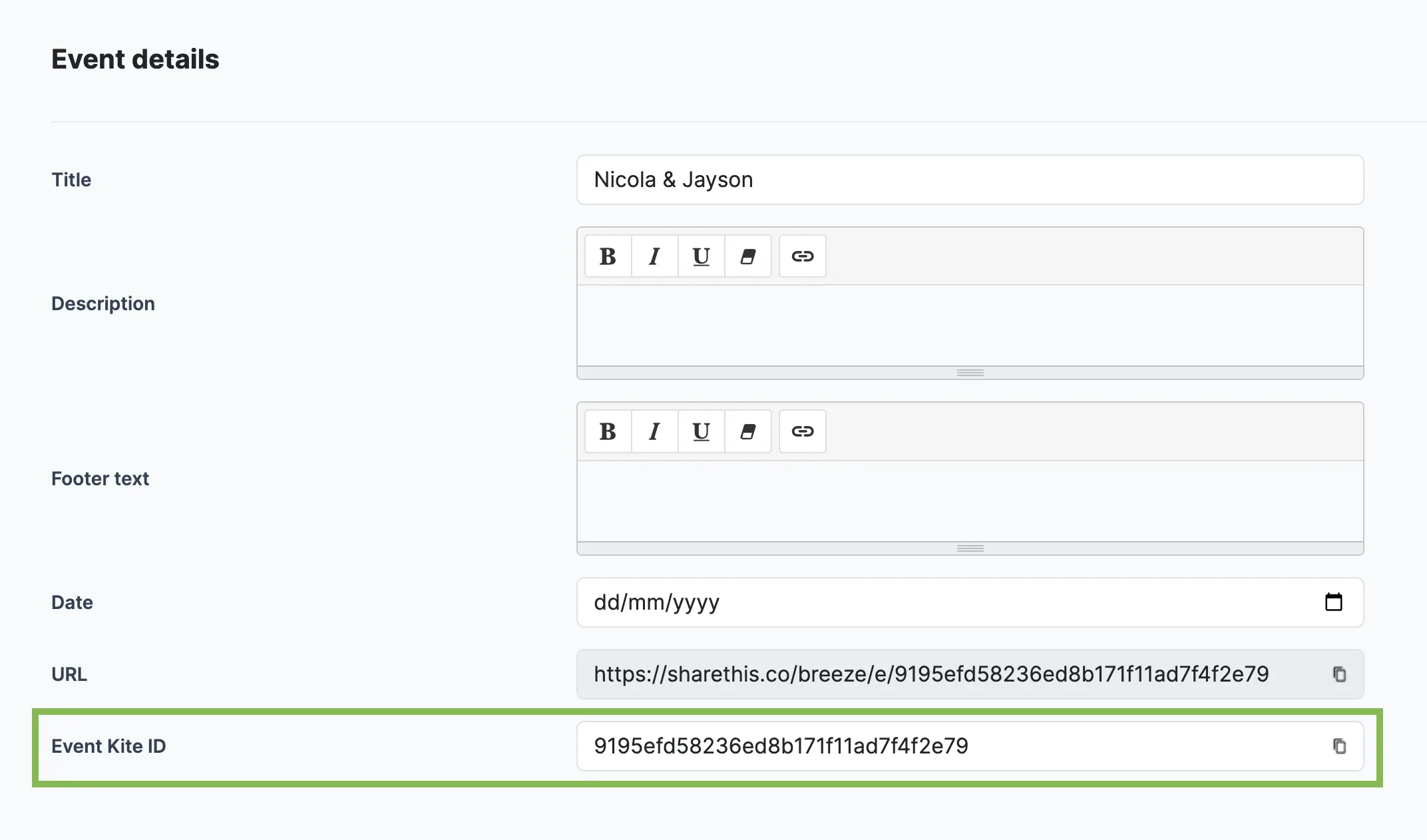
- View your Event in Breeze Cloud
- Select Customize Event
- Copy the Breeze Cloud Gallery ID
- In the Event Editor, you now need to enter your Breeze Cloud Gallery ID
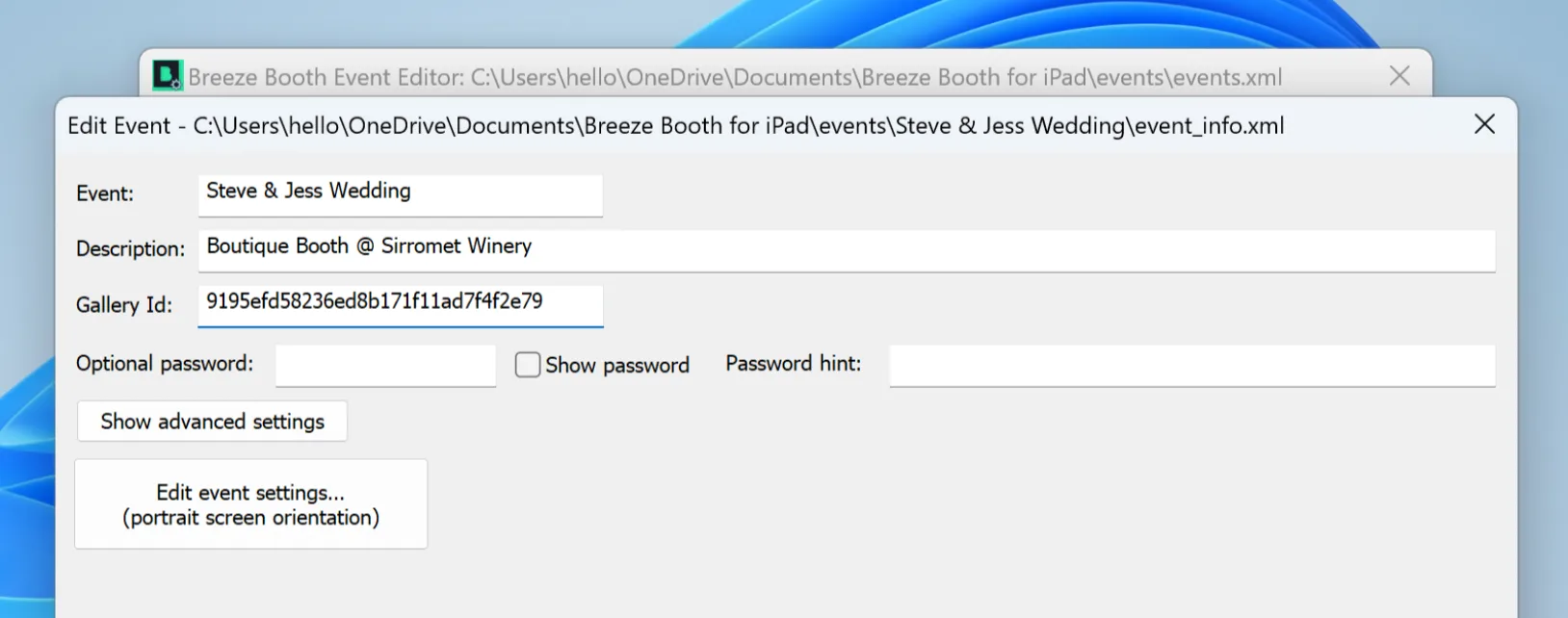
- Edit your event in the Event Editor
- Paste the Breeze Cloud ID in to the Gallery ID field
- Press OK
- Run a test session, and you should see the images appear in your event in Breeze Cloud.
Was this page helpful?
Thanks, that helps us improve the guides.