

Linking from RemotePro
If you have not done so already, you need to create an event in Breeze Cloud, then copy the Breeze Cloud Gallery ID in to Breeze RemotePro.
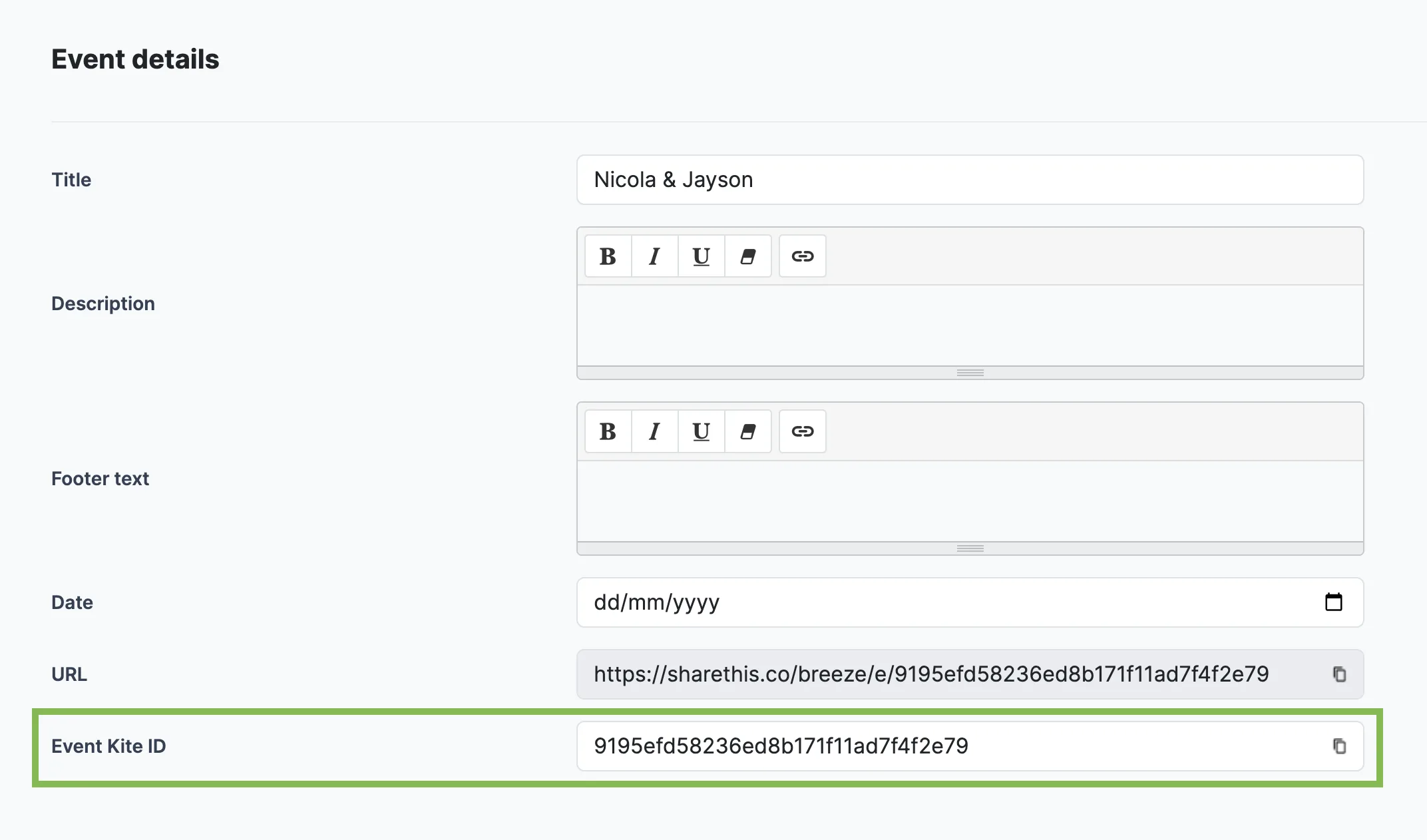
- View your Event in Breeze Cloud
- Select Customize Event
- Copy the Breeze Cloud Gallery ID
- In Breeze RemotePro, you now need to enter the Breeze Cloud Gallery ID
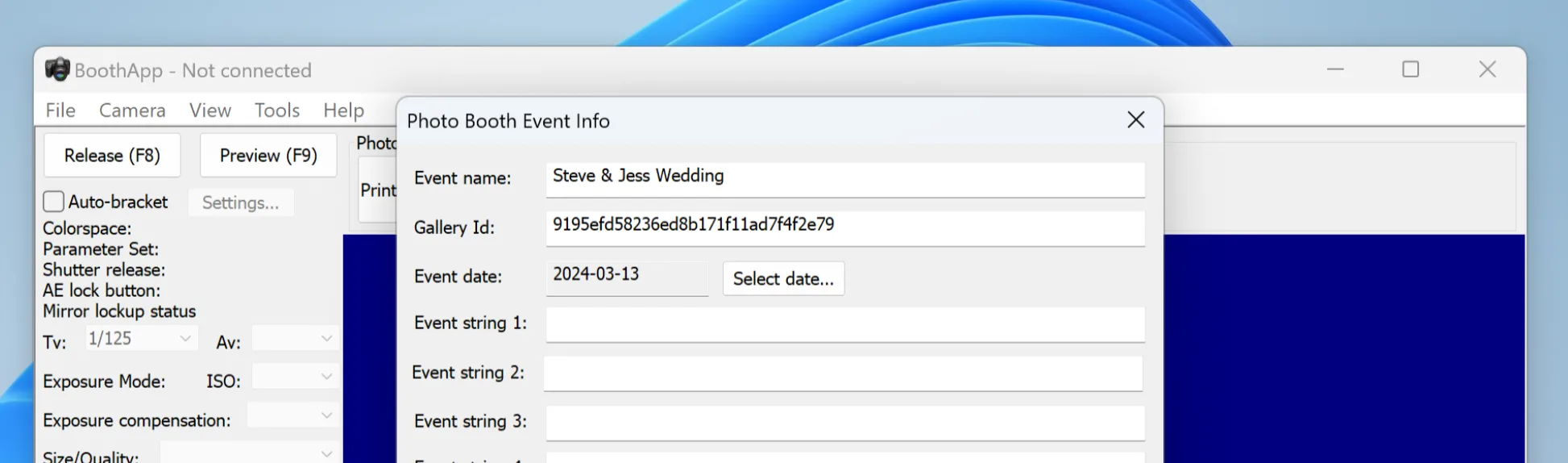
- Go to File > Photo booth event info...
- Paste the Breeze Cloud Gallery ID in to the Gallery ID field
- Press OK
- Run a test session, and you should see the images appear in your event in Breeze Cloud.
It is not compulsory to enter an Event Name in Breeze RemotePro when linking to an Breeze Cloud gallery
Was this page helpful?
Thanks, that helps us improve the guides.