

Wigglegram
Wigglegram Overview#
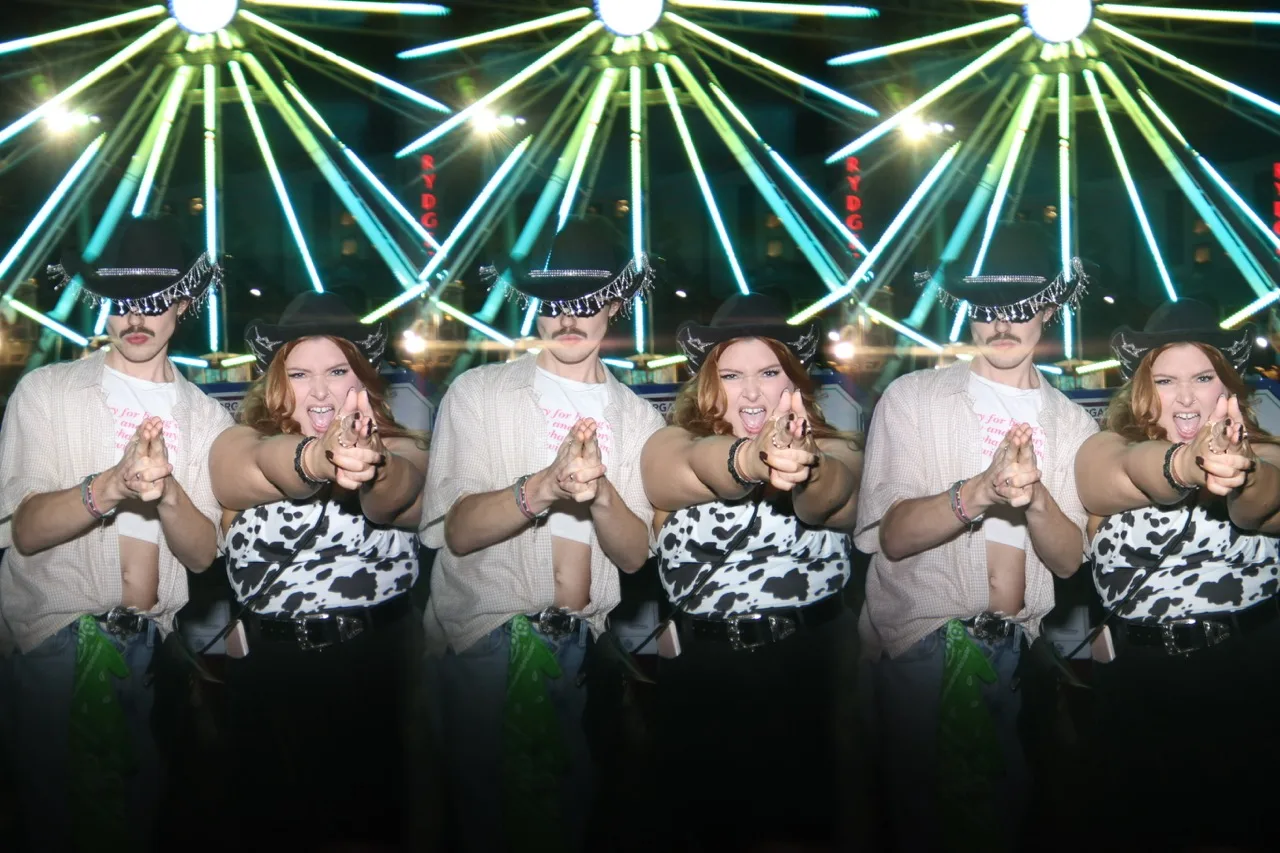
Wigglegrams are camera array style images that are made from a single camera using a special Wiggle Lens. The captured image is processed via Breeze FX which automatically calibrates the images and generates the final video.
Camera & Lens Requirements#
It's important you use the required equipment, otherwise the final effect will not work.
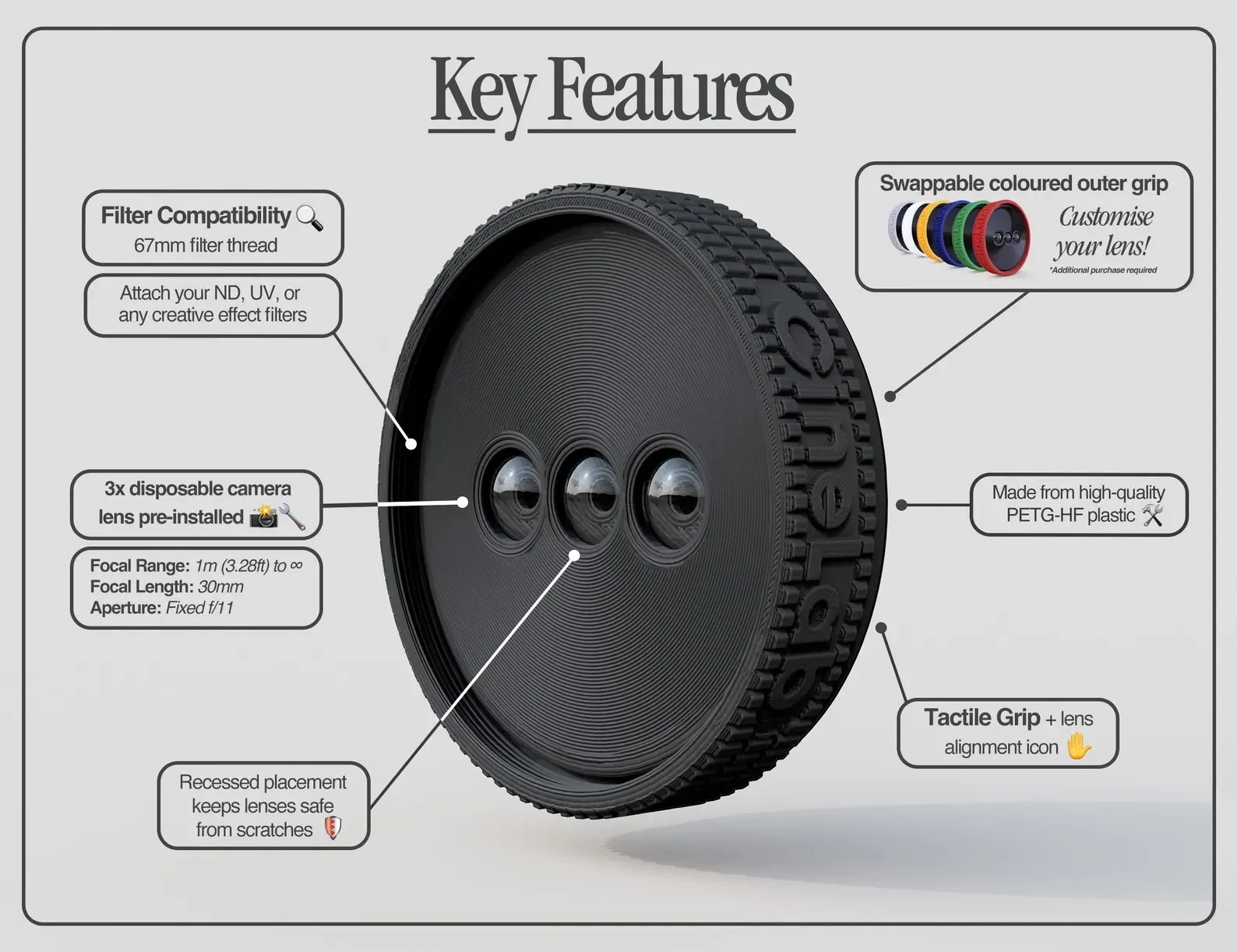
- Full frame camera: Canon R5, R6 or R8.
- Full Frame RF Mount Wigglegram Lens from CineLabAUS.
FX Configuration#
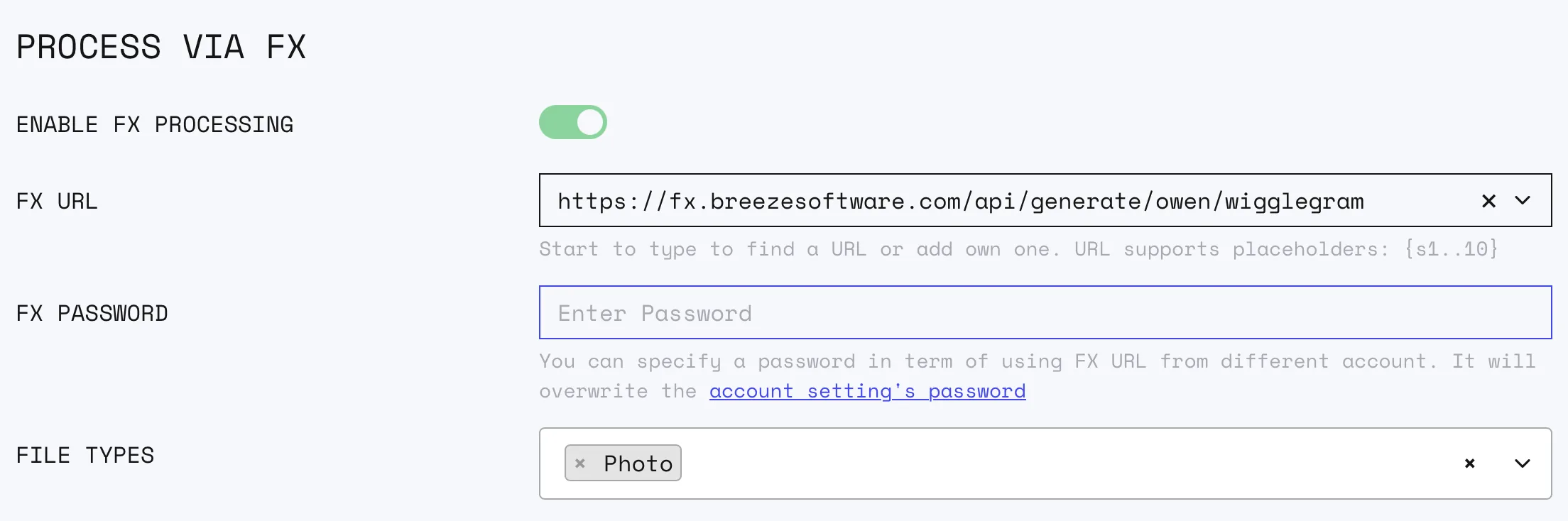
Unlike normal FX Configurations, Wigglegrams are not processed using the POST Request function in the apps. Rather, they are handled on the gallery end in Breeze Cloud. Once an image is uploaded to the gallery the processing will begin.
- Create your Wigglegram FX configuration
- Create an event in Breeze Cloud
- Edit the event and enable FX Processing
- Select the FX Configuration
- Specify which file type the FX config should run on (typically Photo)
- Ensure Breeze Remote Pro or Breeze Booth is linked to the correct Cloud Event
Was this page helpful?
Thanks, that helps us improve the guides.