

Prompt Guide
On this page
To help get the best results when using Google Gemini (Nano Banana) or GPT Image, consider structuring your prompt.
Use this GPT to help you create a prompt
Define Core Elements#
Subject Describe who or what appears (e.g., "a stoic robot barista with glowing blue optics")
Composition Specify framing (e.g., extreme close-up, wide shot, low angle)
Action Define what's happening (e.g., "brewing coffee," "casting a spell")
Location Set the scene (e.g., "futuristic cafe on Mars," "sun-drenched meadow")
Style Choose aesthetic (e.g., 3D animation, photorealistic, watercolor)
Editing Instructions Be direct for modifications (e.g., "change the tie to green")
Advanced Controls:#
Add camera details eg: low-angle shot, shallow depth of field f/1.8
Define lighting eg: golden hour backlighting, muted teal color grading
Specify exact text appearance eg: "'URBAN EXPLORER' in bold white sans-serif font"
Think like a cinematographer. Define your canvas, direct the shot, and specify exactly what you want to see.
Example Prompts#
These were run on the Breeze Cloud test photo with Nano Banana 2 Lite at 1264x848.
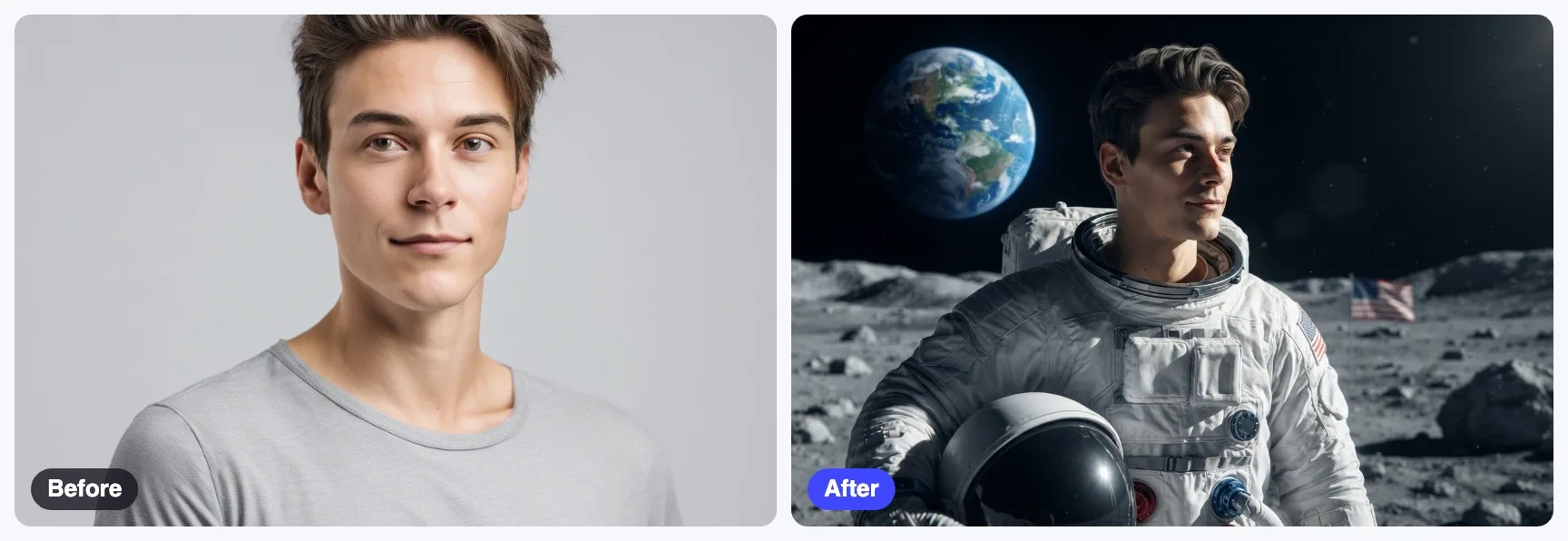
Astronaut
Turn the person into an astronaut wearing a plain white spacesuit with the helmet off, standing on the surface of the moon with Earth in the black sky behind, cinematic lighting, photorealistic
1970s film
Restyle this photo as a 1970s film photograph: warm faded colours, soft film grain, retro patterned shirt and feathered hairstyle, wood panelled living room background, keep the same face
3D character
Turn the person into a 3D animated movie character with big expressive eyes, soft stylised features and smooth skin, bright colourful studio background, keep their hairstyle and clothing
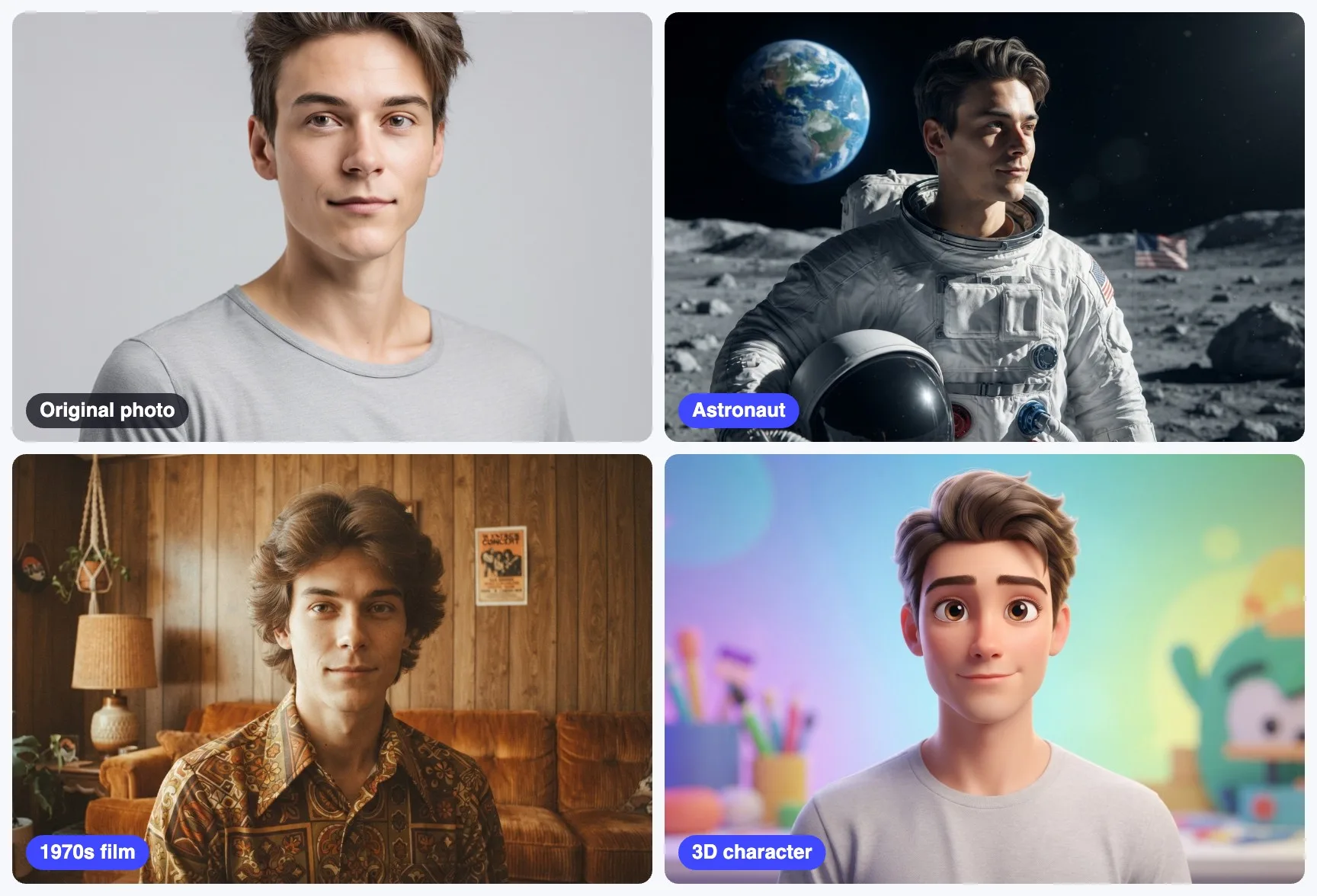
Phrases like keep the same face or keep their hairstyle and clothing help the result still look like the guest.
Was this page helpful?
Thanks, that helps us improve the guides.