

Auto Recharge Credits
On this page
Auto Recharge Credits#
To avoid running out of credits during an event, FX can automatically top up your credits when your balance drops below a set amount.
How to Configure#
- Set up a payment method in Breeze Cloud.
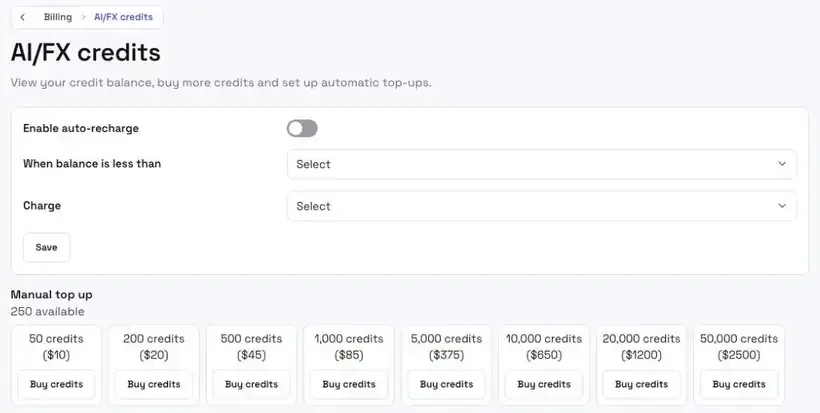
- Go to Billing > AI/FX credits.
- Turn on Enable auto-recharge.
- Choose the balance to top up at (When balance is less than) and the amount to buy (Charge), then press Save.
Buying credits manually#
The same page shows your current balance under Manual top up. Pick a credit pack and press Buy credits to top up straight away.
Was this page helpful?
Thanks, that helps us improve the guides.