

Cartoon
On this page
Cartoon Overview#
The Cartoon FX Configuration uses AI to convert the upload image in to one of several Anime Inspired cartoon styles. The effect is applied to the entire image (including the background). It's important to note, that due to the specific style of the effect, skin tones may not be accurately reflected.
With the advancement of Generative AI, you may find that you will get more control and better results by using either the GPT or Nano Banana FX configurations.
Works with Multiple Guests.
Example Images#
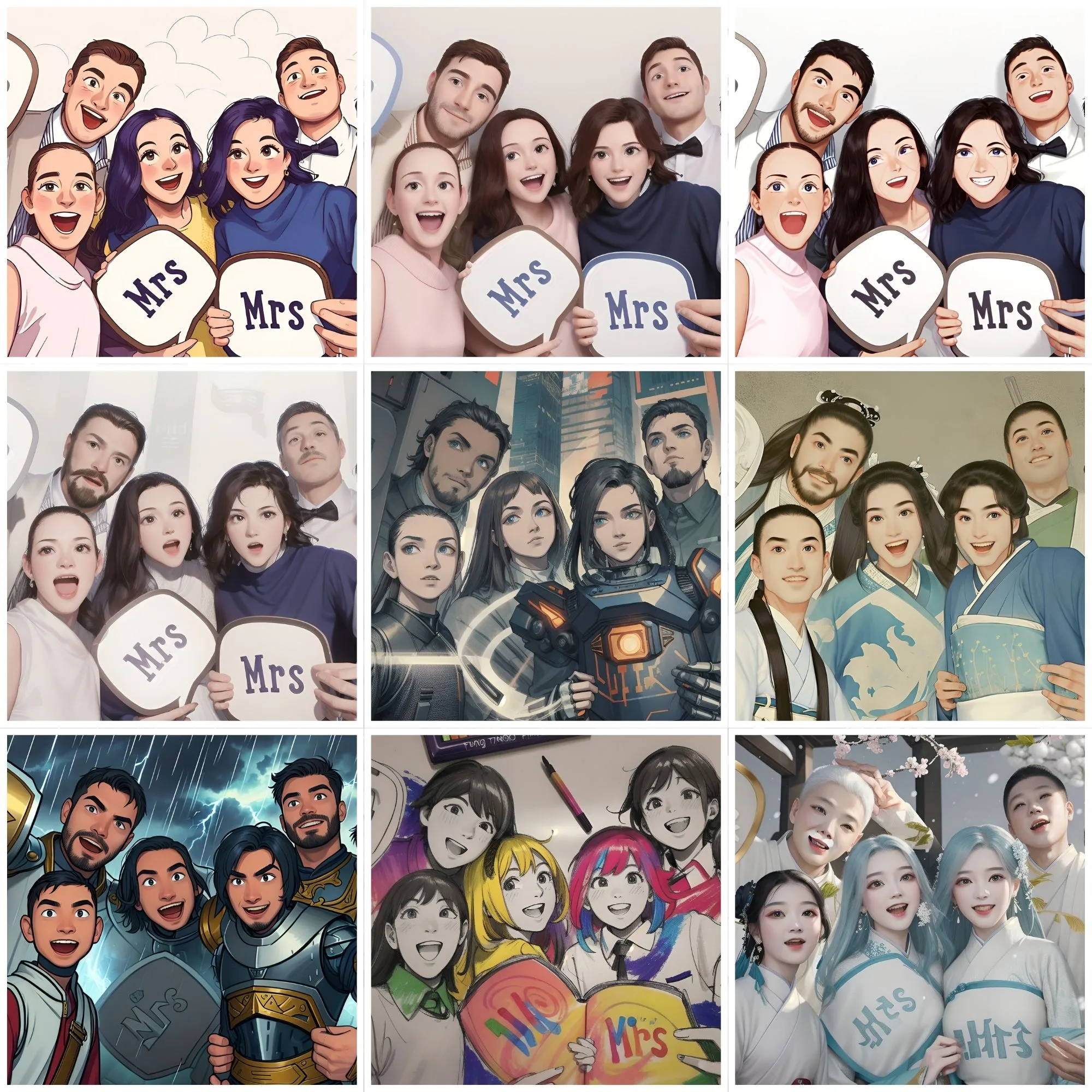
Cartoon FX Settings#
There are 9 styles of cartoon to choose from. Select the style you want to use from the dropdown list. See the Example Images above for examples of each style (in order).
- Vintage
- 2D
- 3D
- Elegant
- Future
- Chinese
- Battle
- Colorful
- Graceful
Other Settings#
Additional processing can be run on the uploaded or processed image. See below to learn more about each option.
Was this page helpful?
Thanks, that helps us improve the guides.