

Download Photos
Download Photos#
The Download Photos dialog downloads photos stored on the cameras' memory cards to the PC. This is useful when the software is set to save photos to the memory cards only.
Open via Camera > Download Photos... or press Ctrl+D.
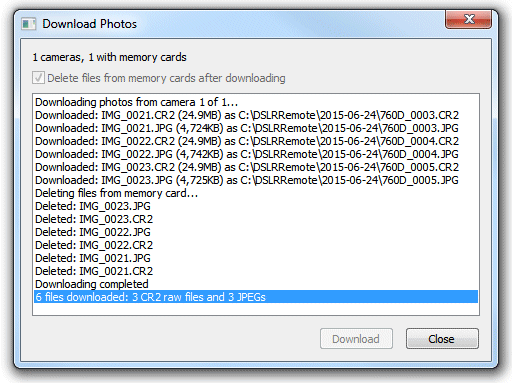
Enable Delete files from memory cards after downloading if you want to remove files from the cards after transfer. Click Download to transfer raw files and JPEGs. Downloaded filenames follow the settings in Preferences.
When shooting raw+JPEG with JPEGs already downloaded to the PC, those JPEGs may affect the filenames of raw+JPEG pairs downloaded later. To avoid naming conflicts, move or delete the existing JPEGs first, or select an empty folder before downloading.
Was this page helpful?
Thanks, that helps us improve the guides.