

Sync Server
Sync Server#
Open via File > Preferences > Sync Server tab.
This tab controls how Breeze Hub advertises itself on the local network so that Apple devices running Breeze Booth can discover and connect to it.
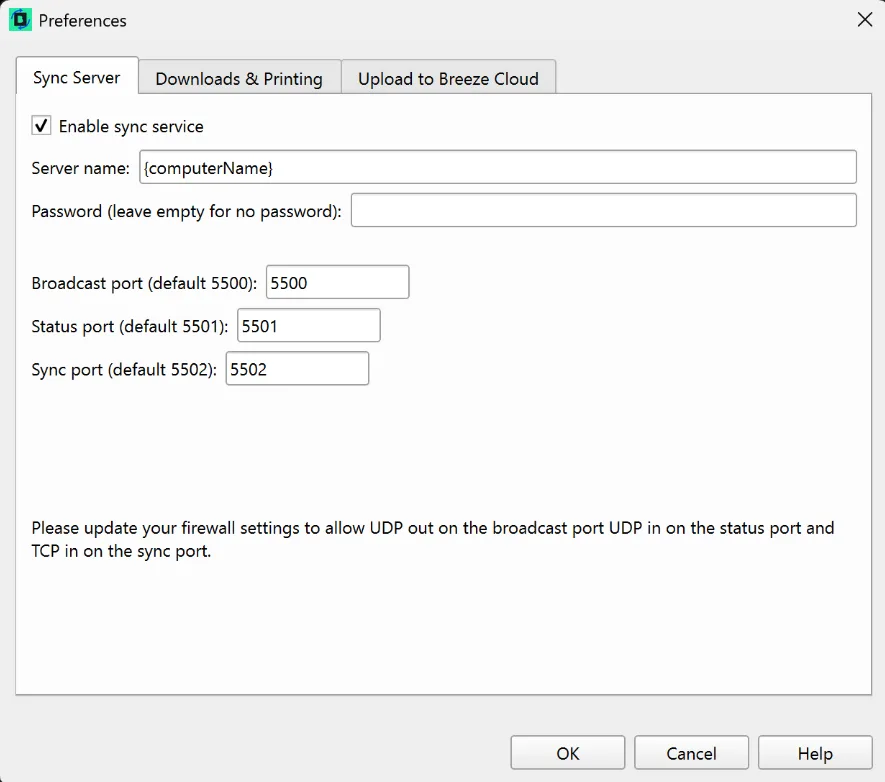
If you are only using Breeze Hub with Breeze Remote Pro, the sync service can be left disabled.
| Setting | Default | Description |
|---|---|---|
| Enable sync service | Off | Enable to allow iOS devices running Breeze Booth to discover and connect to Breeze Hub. |
| Server name | {computerName} | The name broadcast to iOS devices. Defaults to the Windows computer name. Displayed in the App Settings screen on the iPad. |
| Password | (empty) | Optional. If set, the same password must be entered on each Breeze Booth device under App Settings. The password is used to sign each transferred file — Breeze Hub will refuse files where the signature does not match. The password itself is not transmitted over the network. |
| Broadcast port | 5500 | UDP port used to announce the server. Must match the port set in Breeze Booth. |
| Status port | 5501 | UDP port used for device status updates. |
| Sync port | 5502 | TCP port used for file transfers. |
Was this page helpful?
Thanks, that helps us improve the guides.