

Duplex Printing
On this page
Printing Both Sides of a Page#
Duplex printing allows you to automatically print on both sides of a page. This can be useful for printing things like plastic ID cards, greeting cards and other speciality prints.
A printer that supports duplexing is required
How to Enable Duplexing#
- Ensure you have configured your device for printing with Breeze Hub
- Enable the Duplex function on your printer (these settings will vary based on printer model)
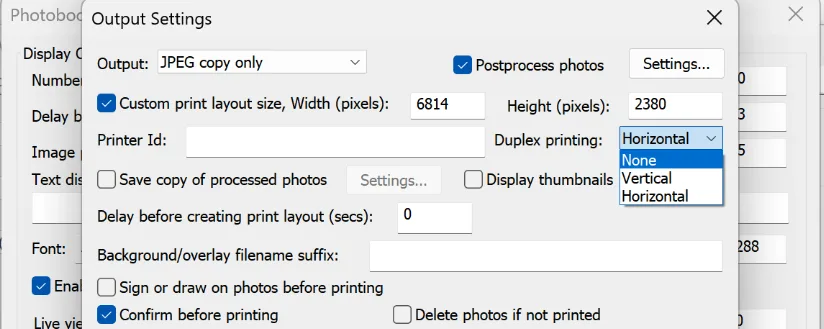
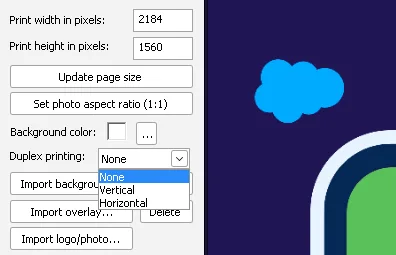
- Set Duplex to either Vertical or Horizontal depending on your layout
Remote Pro Notes#
The duplexing option is configured in: Photo Booth Settings > Output Settings > Duplex Printing (none, Vertical, Horizontal)
Breeze Booth Notes#
The duplexing option is configured within your profile settings > Photos > Print Layout > Duplex Printing (none, Vertical, Horizontal)
Was this page helpful?
Thanks, that helps us improve the guides.