

MDB Setup
On this page
What is MDB?#
The MDB (Multi-Drop Bus) standard is the industry protocol used to connect payment devices—such as credit card readers, bill validators, and coin acceptors—to vending machines, and in this case, to your Photo Booth.
Unlike a basic pulse system, which simply sends a one-way electrical signal to represent a payment, MDB provides a two-way digital communication channel between the payment device and the controller. This allows for richer, more reliable data exchange, enabling the controller to request specific payment amounts, confirm authorisations, monitor device status, and errors in real time.
Quick Start#
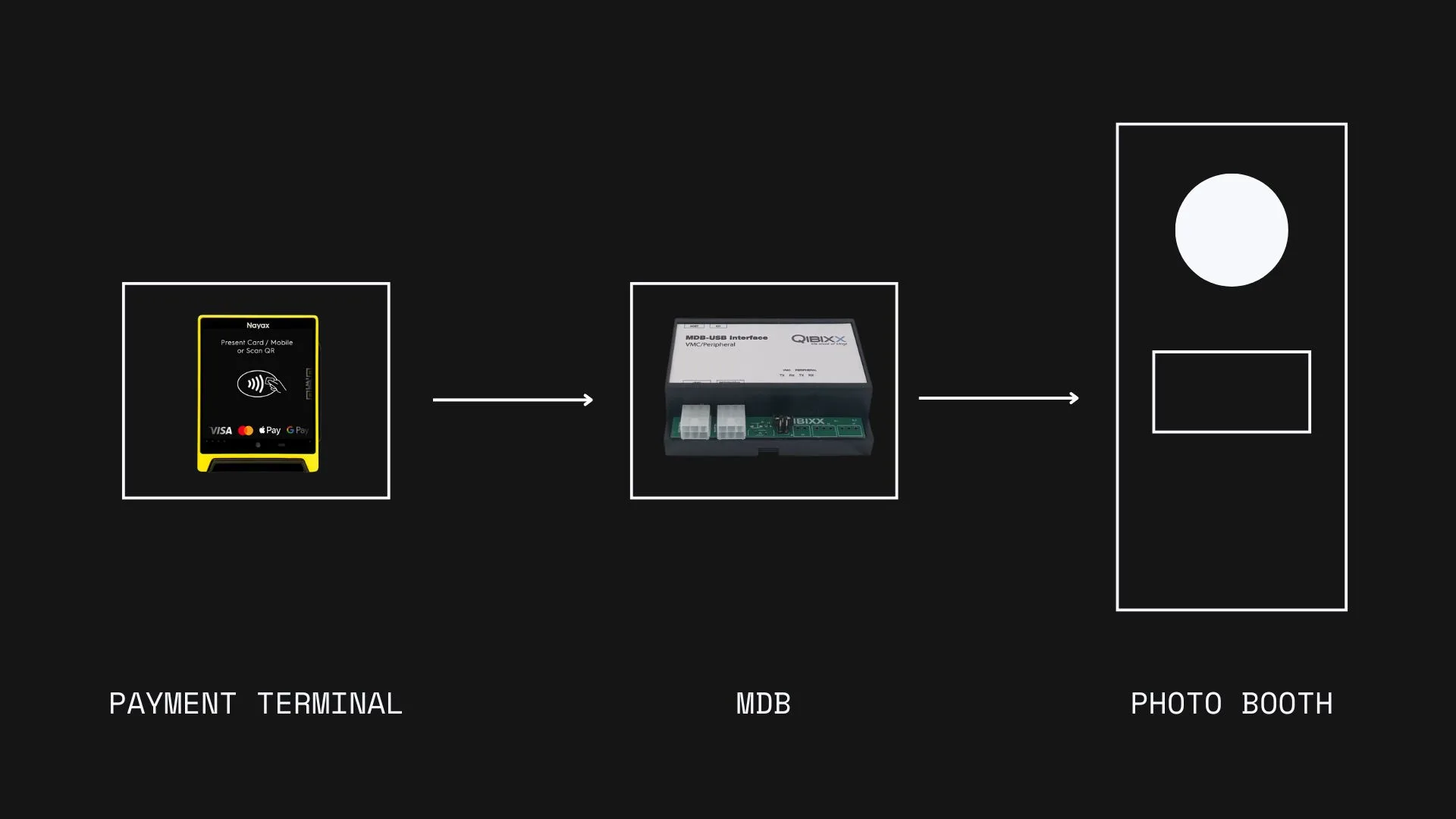
In a Breeze setup, the Breeze MDB Utility acts as the Vending Machine Controller (VMC), communicating through a Qibixx MDB box to the connected payment terminal. We suggest using the Nayax VPOS Touch for cashless payments, although any MDB-compatible terminal should work.
Because the communication is two-way, the VMC can both send commands and respond to what’s happening in Breeze—charging different amounts for specific experiences, reprints, or sharing options. This integration allows for flexible, automated, and secure tap-to-pay workflows that go far beyond the limitations of pulse-based systems.
Level 1 v Level 3#
Your MDB terminal runs in one of two modes, which decides when the guest pays. The terminal and the MDB Utility must be set to the same mode.
| Level 1: Authorisation First | Level 3: Selection First | |
|---|---|---|
| How it works | The guest taps their card, then the booth requests the amount | The guest chooses an option, then the booth requests the amount and the guest pays |
| Best for | Pay to start, a single price, paying for prints | Several options at different prices, where the guest can change or cancel their choice |
| MDB Utility | Selection first / Always idle mode off | Selection first / Always idle mode on |
Most photo booths use Level 1. The Nayax VPOS Touch usually ships set to Level 1. To change the level, use the Nayax dashboard or contact Nayax support.
For more detail, see the reference docs:
- Level 1 v Level 3: when to use each mode, with examples
- MDB States: what each reader state (INIT, IDLE, CREDIT, VEND, RESULT) means
- Manual Configuration: building the actions by hand instead of loading an example file
Was this page helpful?
Thanks, that helps us improve the guides.