

Level 1 v Level 3
On this page
MDB payment systems operate in one of two modes: authorization first / Level 1 or selection first / Level 3. Your credit card terminal will need to be set to one of these modes, based on how you plan to configure your Photo Booth.
You can change the mode via the Nayax Dashboard or by contacting their support
About the Modes#
What is Authorization First? (Level 1)#
Use Level 1 / Authorization First when your booth has a simple payment flow, such as a fixed-price session, tap-to-start booth, or when charging for prints after photos are taken. In this mode Breeze controls when payment is requested, and the card reader simply authorizes the transaction.
This is the recommended and most common option for most Breeze payment booths because it is simpler to configure and works well for most setups.
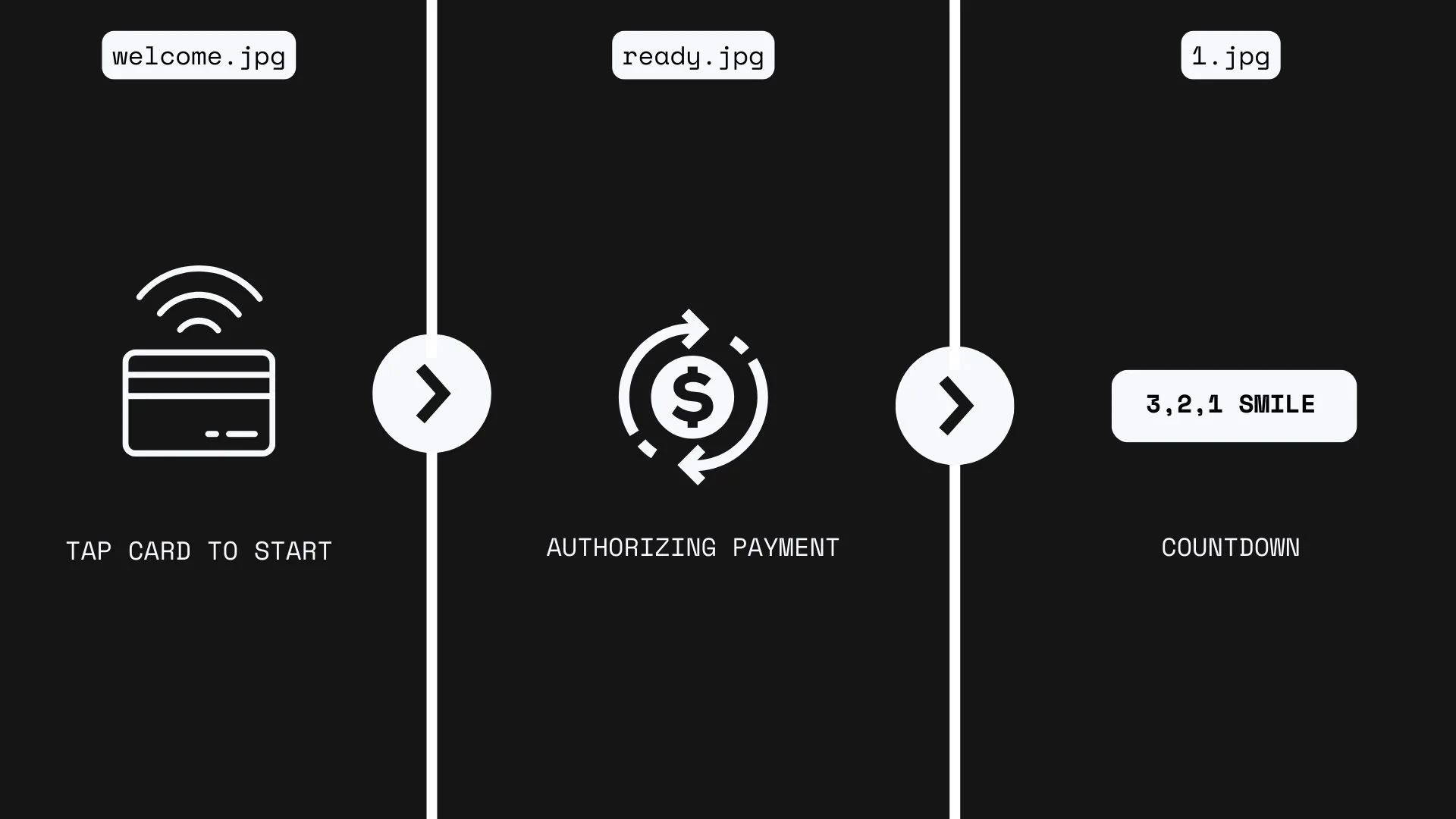
Example: The guest is shown a screen reading “Tap Card to Pay.” After a successful payment, the booth automatically starts the countdown..
What is Selection First? (Level 3)#
Use Level 3 / Selection First when your booth offers multiple price options or menu choices, and the user can change or cancel their selection while a payment request is active. Level 3 allows the booth to cancel the transaction if the user navigates back to the menu, keeping the payment terminal and booth interface in sync. This helps prevent users from switching options while a payment is in progress.
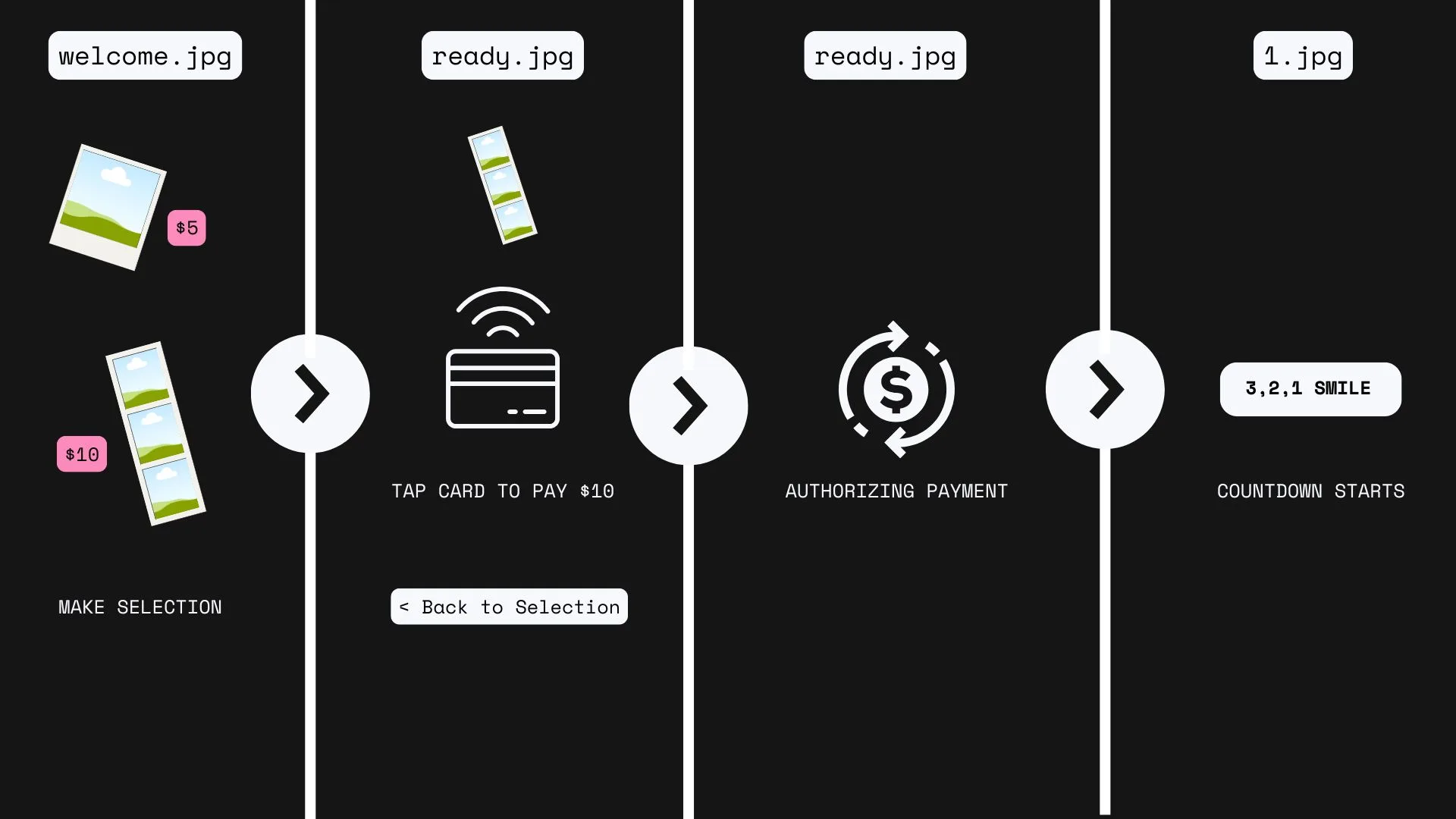
Example. The guest chooses between two different layouts, at different price points. They make their selection and then are prompted to Pay. After successful payment, the booth automatically starts the countdown. Or, they change their mind, and go back to the selection screen, and the transaction is cancelled.
Which option do I use?#
Unless you are offering an upfront choice of options, then Authorization First / Level 1 is the most common choice for a photo booth.
Was this page helpful?
Thanks, that helps us improve the guides.