

Hardware Setup
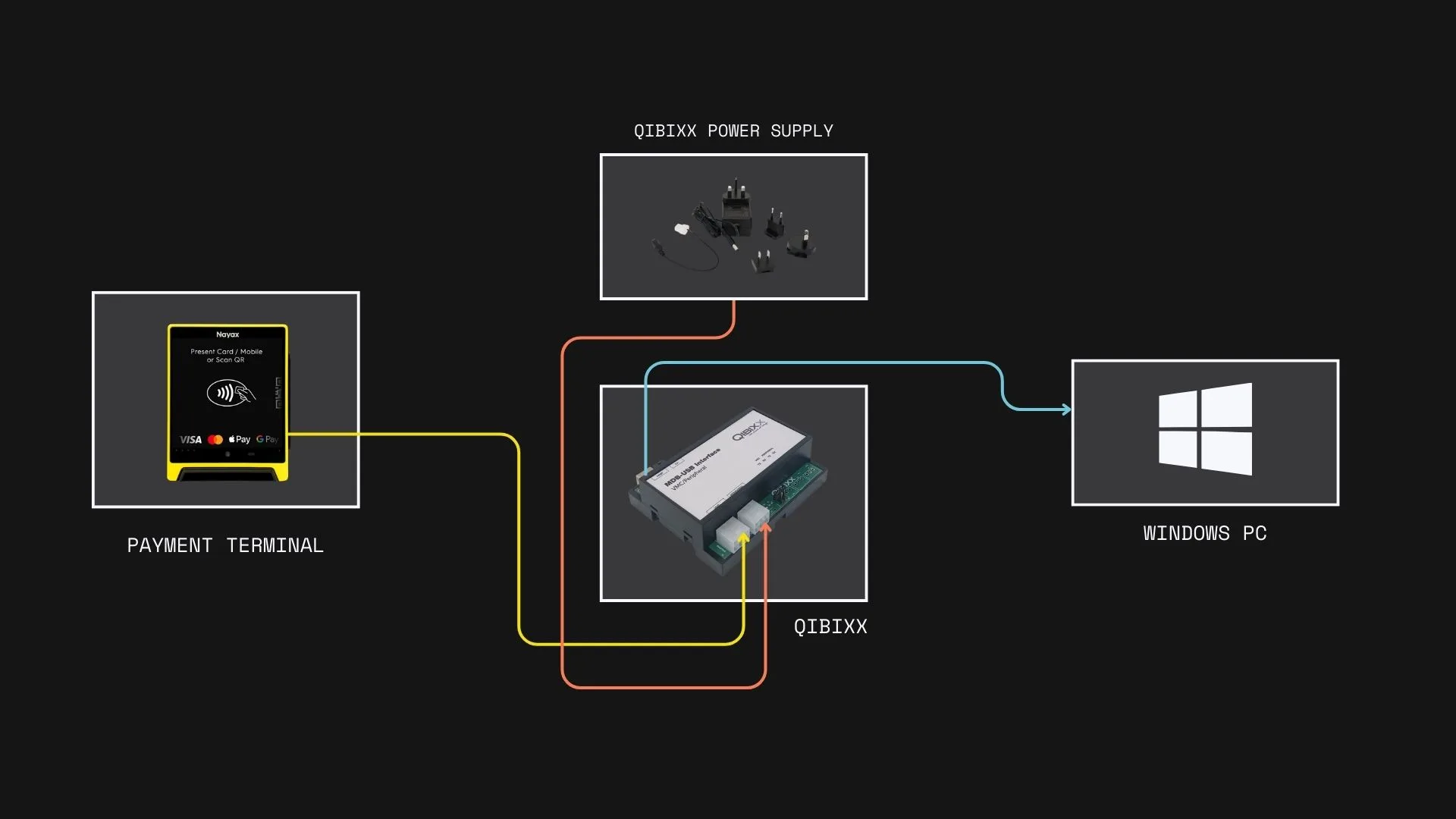
Connecting the hardware together is simple. Just follow the steps below. See What You Need for the parts list.
- Connect the Qibixx power cable to the peripheral (or slave) connector on the Qibixx.
- Connect the yellow MDB cable from the Nayax terminal to the VMC (or master) connector on the Qibixx.
- Connect the Qibixx to the Windows PC via USB.
Next: MDB Utility Overview
Was this page helpful?
Thanks, that helps us improve the guides.