

Kiosk Setup
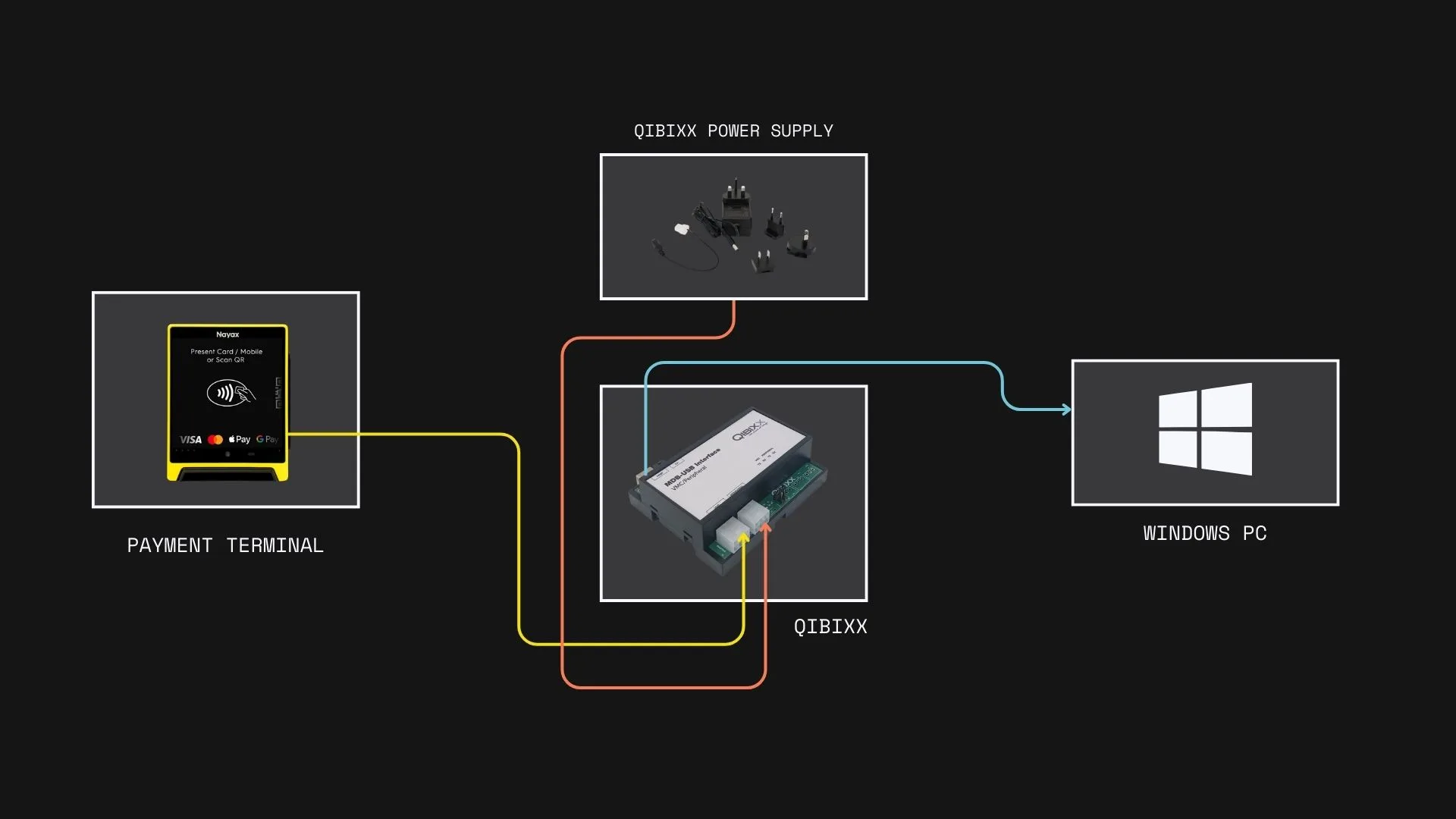
To take payments with Breeze Kiosk, run the MDB Utility and Breeze Kiosk on the same Windows PC. You need Breeze Kiosk v2.1 or later.
The MDB Utility talks to the payment terminal through the Qibixx MDB interface, and tells Breeze Kiosk when to print by sending Payment accepted or Payment cancelled commands.
New to the MDB Utility? Watch the MDB Utility Overview first. It uses Remote Pro, but connecting and the settings are the same for Kiosk. Just set Mode to Breeze Kiosk.
See What You Need for the parts list and Hardware Setup to wire it up.
Examples#
| Example | How it works | Terminal mode |
|---|---|---|
| Authorisation First | The guest taps print, Breeze Kiosk enables the card reader, and the photos print once the payment is authorised. | MDB Level 1 |
| Selection First | The guest taps print, Breeze Kiosk requests the amount from the card reader, and the photos print once the guest pays. | MDB Level 3 |
Not sure which to use? See Level 1 v Level 3.
Was this page helpful?
Thanks, that helps us improve the guides.