

The Main Window
On this page
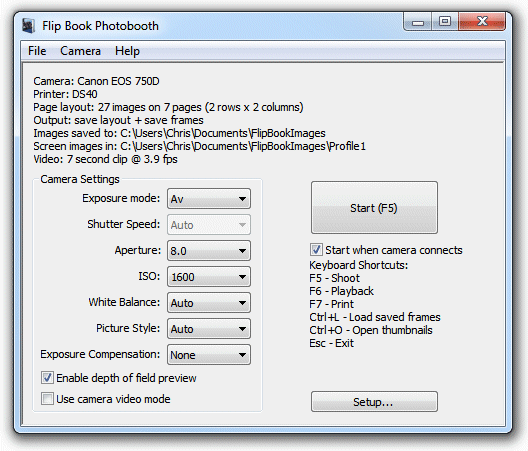
When Flip Book Photobooth is run, the main window is displayed. It shows a summary of the current printer and layout settings and the camera status (if connected). Click "Setup..." to configure the software or "Start" to enter fullscreen mode to begin capturing and printing.
Loading and Saving Settings#
Save the current settings for future reference via File > "Save Settings..." and reload them via File > "Load Settings...".
Connecting to the Camera#
By default, Flip Book Photobooth attempts to connect to the camera on startup and will not retry. Use Camera > "Connect" to manually connect or disconnect.
Select Camera > "Auto reconnect" to have the software connect automatically when the camera is detected.
When "Start when camera connects" is selected, the software will automatically switch to fullscreen mode when the camera connects.
Was this page helpful?
Thanks, that helps us improve the guides.