Breeze Booth for iPad 3.2: connect Canon cameras directly by USB
Booth 3.2 connects iPads and iPhones straight to Canon cameras over USB, with no Camera Controller needed, and adds a nightly auto purge.
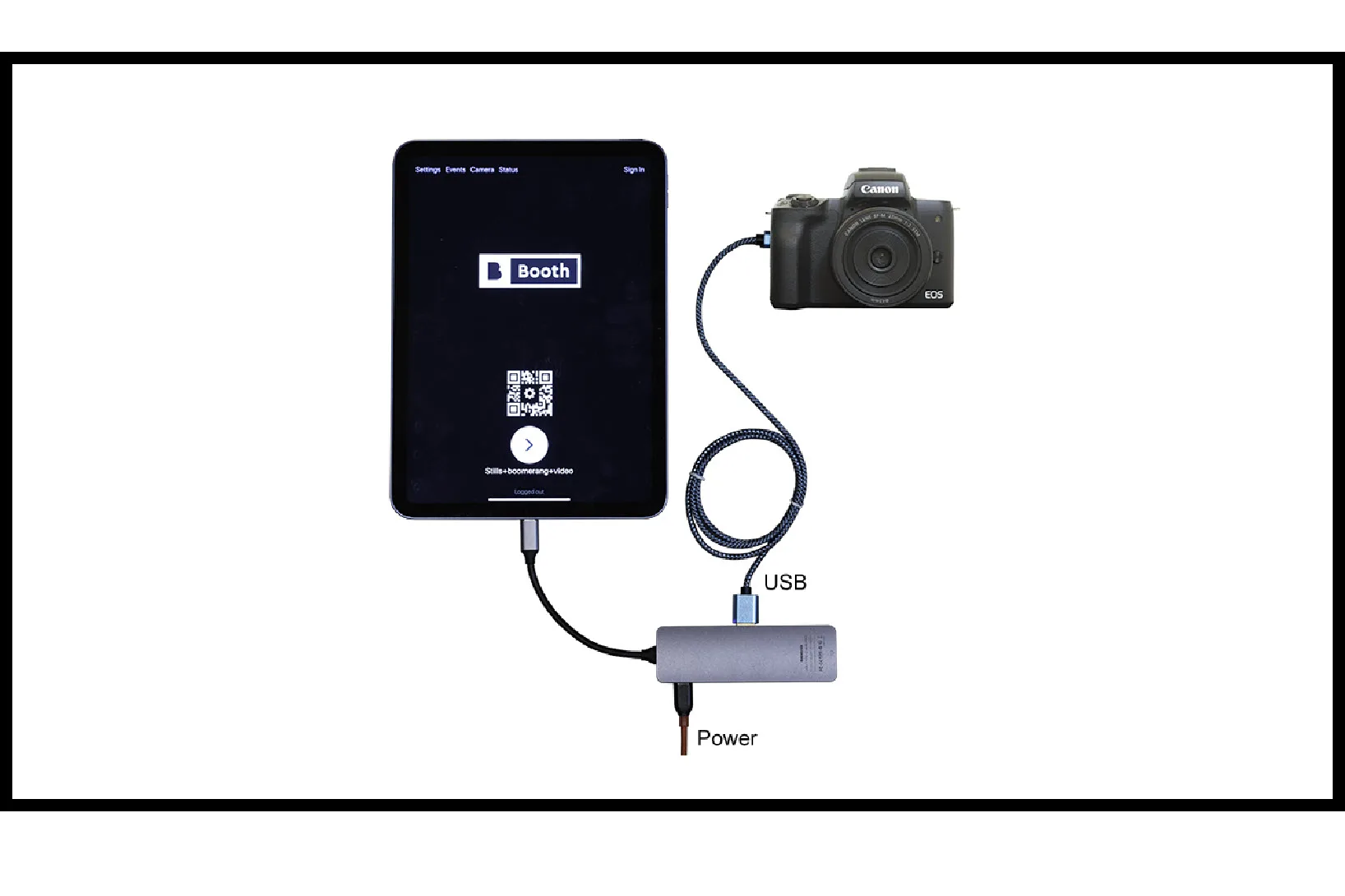
Breeze Booth for iPad and iPhone 3.2 connects straight to Canon cameras over USB. You no longer need the Windows or Raspberry Pi Camera Controller to use an external camera.
Why use an external camera#
- Better image quality, which discerning clients notice
- Use flash instead of constant lighting
- Less obtrusive lighting when the booth is idle
Shoot video, stills and GIFs, in landscape or portrait, with a Canon or the device's own cameras.
Setting it up#
Connect the camera and switch it on, then in Booth choose Camera on the Home page and turn on External Camera.
- USB-C devices: a USB-C hub with a charging port lets you charge and connect at the same time.
- Lightning devices: you need a Lightning to USB adapter, ideally one with a charging port.
Supported cameras#
Most Canon DSLRs, the EOS R10, R7 and R3, the EOS M50 Mark II, M50, M200 and M6 Mark II, and the PowerShot SX70 HS, G5 X Mark II and G7 X Mark III. We recommend the EOS R10 for its face-detect autofocus.
Also new#
- Auto Purge at 4am, with a setting for how old photos must be before they're deleted
- Fixed switching between built-in cameras on the 10th generation iPad
- Fixed saving printer filters in Breeze Hub
Released with Event Editor 3.2, Hub 1.2.6.5 and Camera Controller 1.1.4.